Adobe Flux
Reimagining AI Creation Beyond the Prompt
Rethinking Creation: The Why?
Adobe Flux is a concept that rethinks how creatives interact with AI. Instead of relying solely on text prompts, Flux introduces sketching, voice, gestures, and smart guidance to give users more intuitive control. It’s designed to lower the barrier to entry and make generative tools feel more natural, expressive, and collaborative.
Tools
Figma
Miro
Figjam
Perplexity
My Team
Adobe Partner
Sabrina Quach
Yanfeng Dong
Tanisha Damle
My Responsibilities
Ideation
UX research
Interface design
Motion prototyping
Timeline
Week 1–3: Research & Problem Definition
Week 4–6: Ideation & Early Prototyping
Week 7–9: High-Fidelity Design & Motion
Week 10: Final Touches & Adobe Presentation
Problem
Most AI tools rely on text prompts, limiting creative control for visual thinkers and non-technical users. This creates a gap between a user’s vision and the AI’s output.
Solution
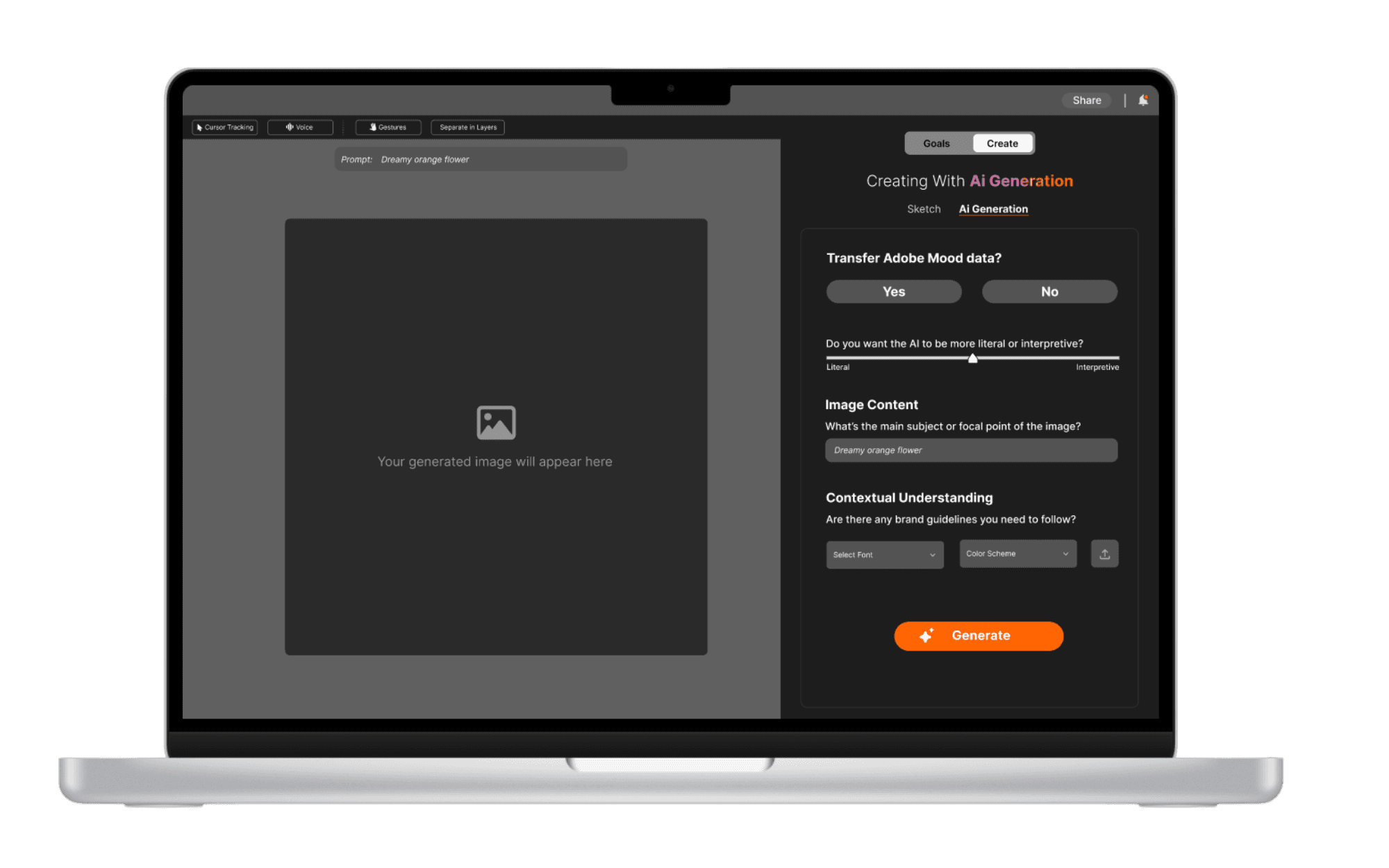
Adobe Flux gives users full creative control by combining sketch, voice, and gesture input with editable AI outputs. It allows users to customize their workflow, guide generations in real time, and shape results.
The Process
Research
Ideation
Design
Test & Refine
RESEARCH
Listening Before Designing
AI tools are evolving rapidly, but they often assume users are comfortable with technical language and rigid workflows. For Adobe Flux, our goal was to design an experience that felt natural, accessible, and empowering—especially for creatives who don’t always think in text.
To do that, we needed to deeply understand:
How users currently interact with generative AI tools
Where those interactions break down or feel limiting
What inputs feel intuitive across creative disciplines
Without grounding our design in real user behavior, we risked recreating the same friction points we set out to solve. Research helped us uncover not just what was missing, but why it matters—paving the way for a solution that met users where they are, not where the tech assumed they’d be.
RESEARCH
🗂️Current State of Generative AI
To ground our work in industry knowledge, we conducted deep desk research using a mix of traditional and AI-powered tools. Our goal was to explore how current creative AI platforms function, where they fall short, and what users actually need beyond just prompt-based input.
😤 A growing frustration with rigid prompt systems
🖐️ A lack of multimodal support (visual, voice, gesture input)
🚧 Barriers non-technical or visual-first creatives face when using AI tools
RESEARCH
When AI Misses the Mark: What Creatives Told Us
To get beyond assumptions and truly understand our audience, we spoke directly with the people who matter most—creatives and designers.
We conducted a series of 20 user interviews to dive into their:
Day-to-day creative workflows
Frustrations with current AI tools
More intuitive & expressive control
These conversations revealed just how often creatives feel limited by prompt-based systems. Many struggled to get the AI to match their vision, while others felt that the tools were built for coders—not visual thinkers.
RESEARCH
💭 Tapping into User Emotions
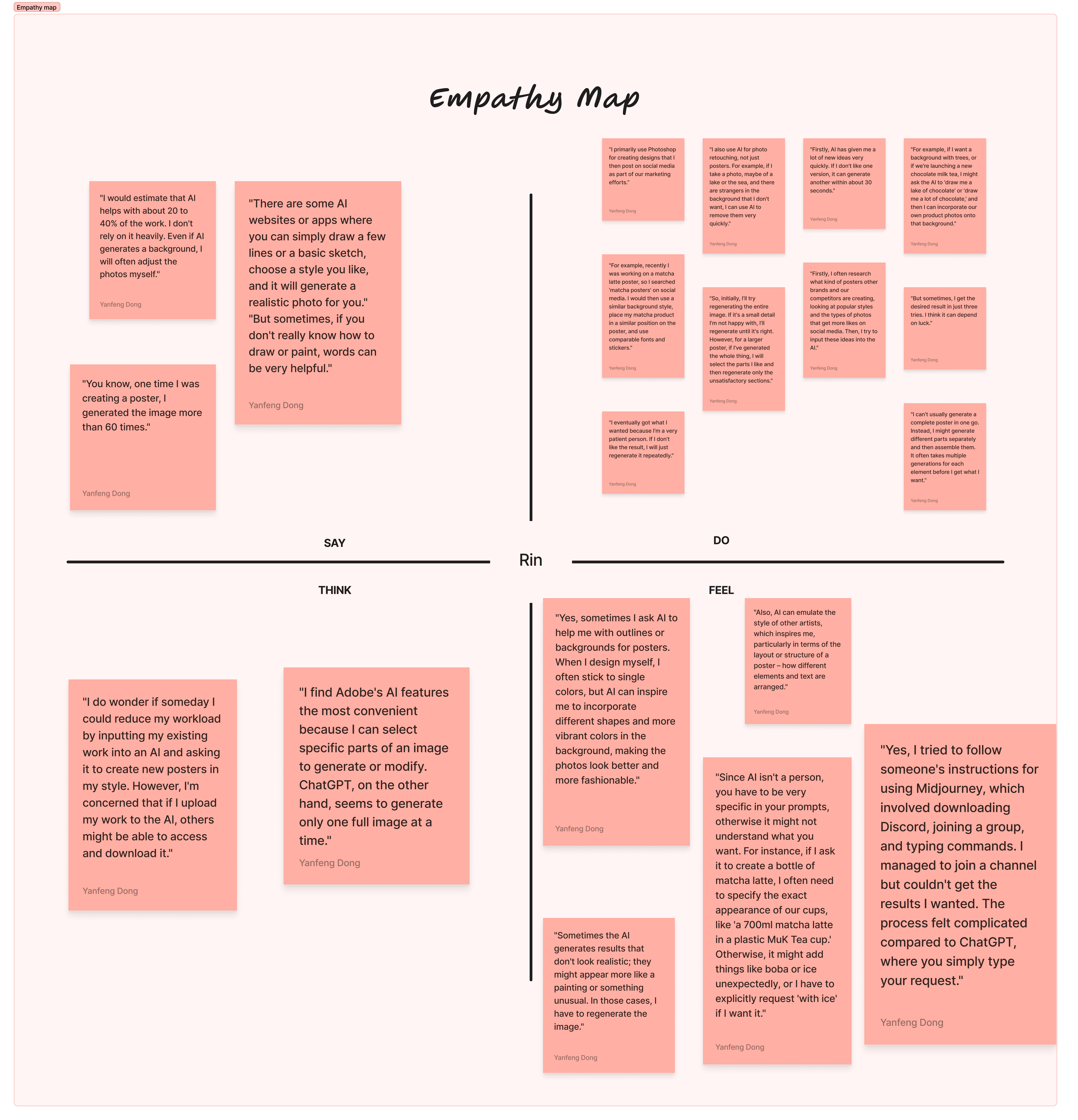
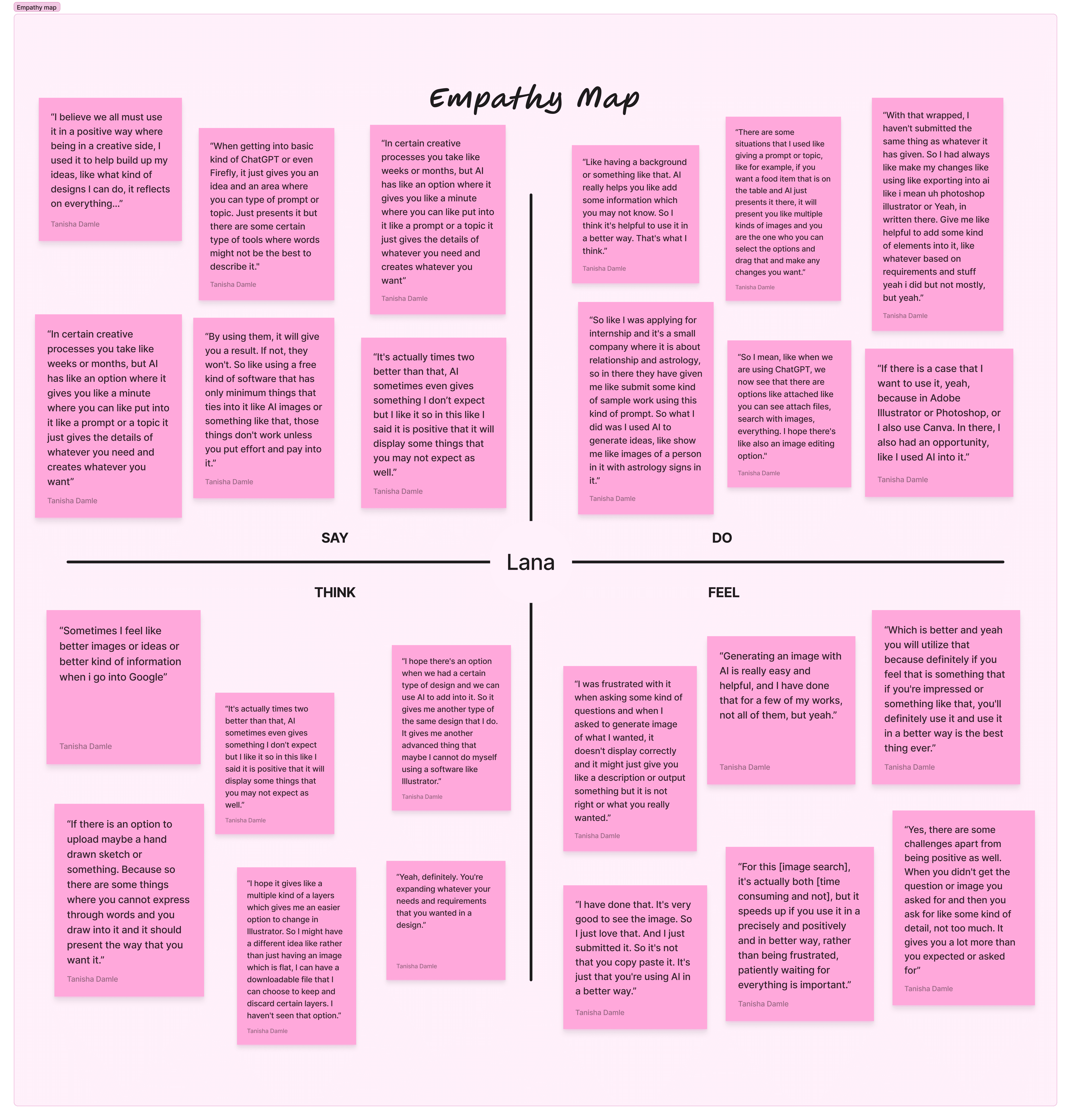
To better understand the emotional and behavioral layers of our users, we created empathy maps based on our interviews and observations. This allowed us to step into their shoes and capture what they:
Think – “This doesn’t feel like my work.”
Say – “It’s cool… but it doesn’t get me.”
Feel – Frustrated, overwhelmed, uninspired
Do – Rework AI results, abandon tools mid-process, or revert to manual methods
By mapping these patterns, we began to understand a deeper truth:
Even the most powerful AI can feel cold, frustrating, or distant if it doesn’t understand the creative mind.
After synthesizing our interviews and research, we uncovered several recurring themes that shaped how users truly experience AI in creative spaces. These patterns helped us understand both the emotional and practical gaps in existing tools:
⚖️ Ethics
Concerns around originality, authorship, and credit when AI is involved
🧠 Contextual Understanding
Users expressed frustration when AI couldn’t understand creative nuance
🎨 Originality & User Control
A desire to co-create with AI, not be overridden by it
📝 Prompts
Writing effective prompts felt like a skill barrier rather than a creative tool
⚡Efficiency
Creatives wanted faster, frictionless tools that still honored their process
🔁 Behavior
Users wanted tools that adapted to their preferences and patterns over time
🧩 Problem-Solving
There was a clear interest in AI that could support creative blocks without taking full control
❤️ Lack of Human Emotion
ny users felt a disconnect, saying AI often lacks the soul or emotional depth they bring to their work
To make sense of everything we gathered, we organized both our primary research (interviews, empathy mapping) and secondary research (AI tools, trend reports, case studies) to synthesize our findings into these clear thematic categories.
RESEARCH
Where the Tools Shine—and Where They Fall Short
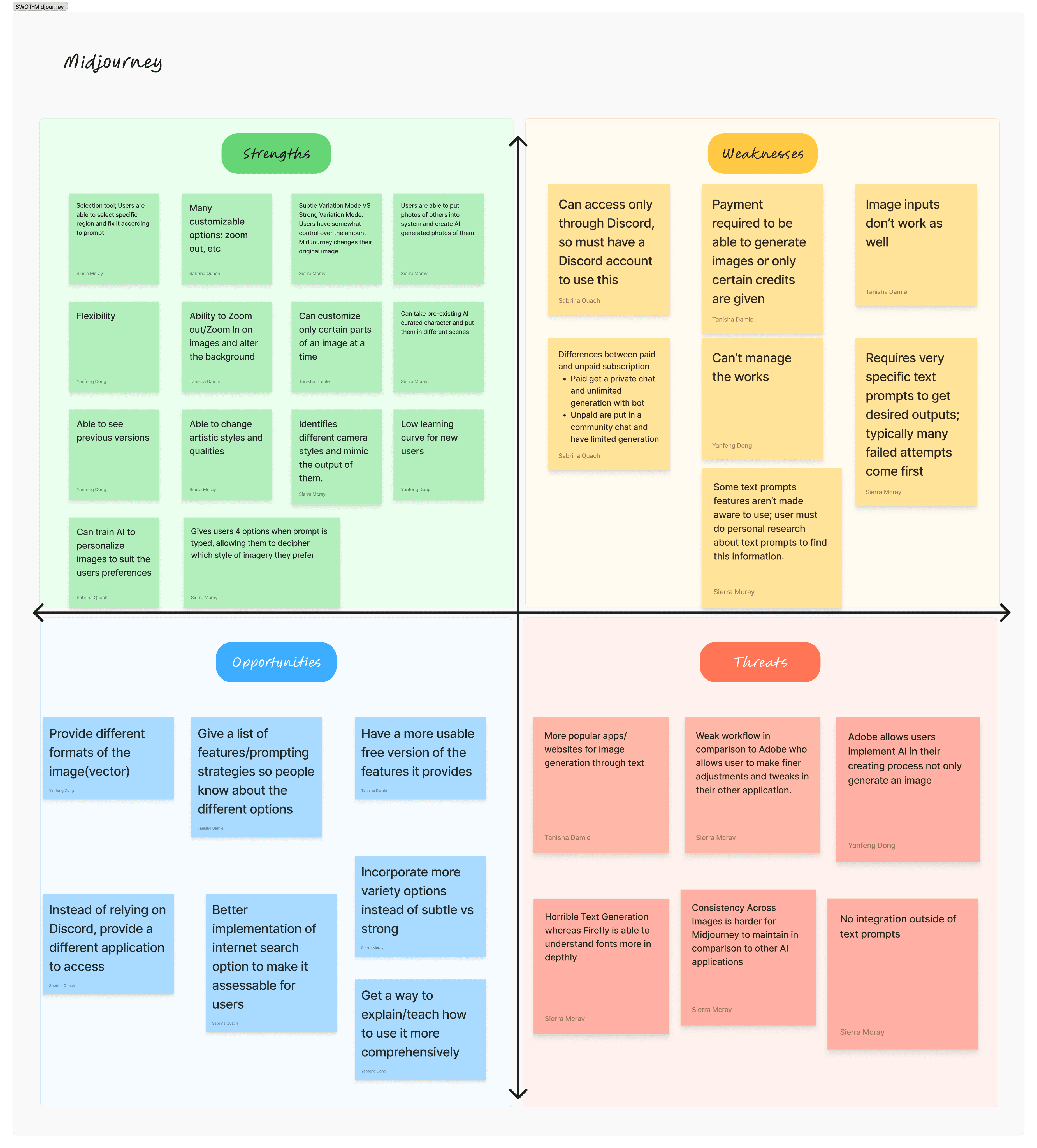
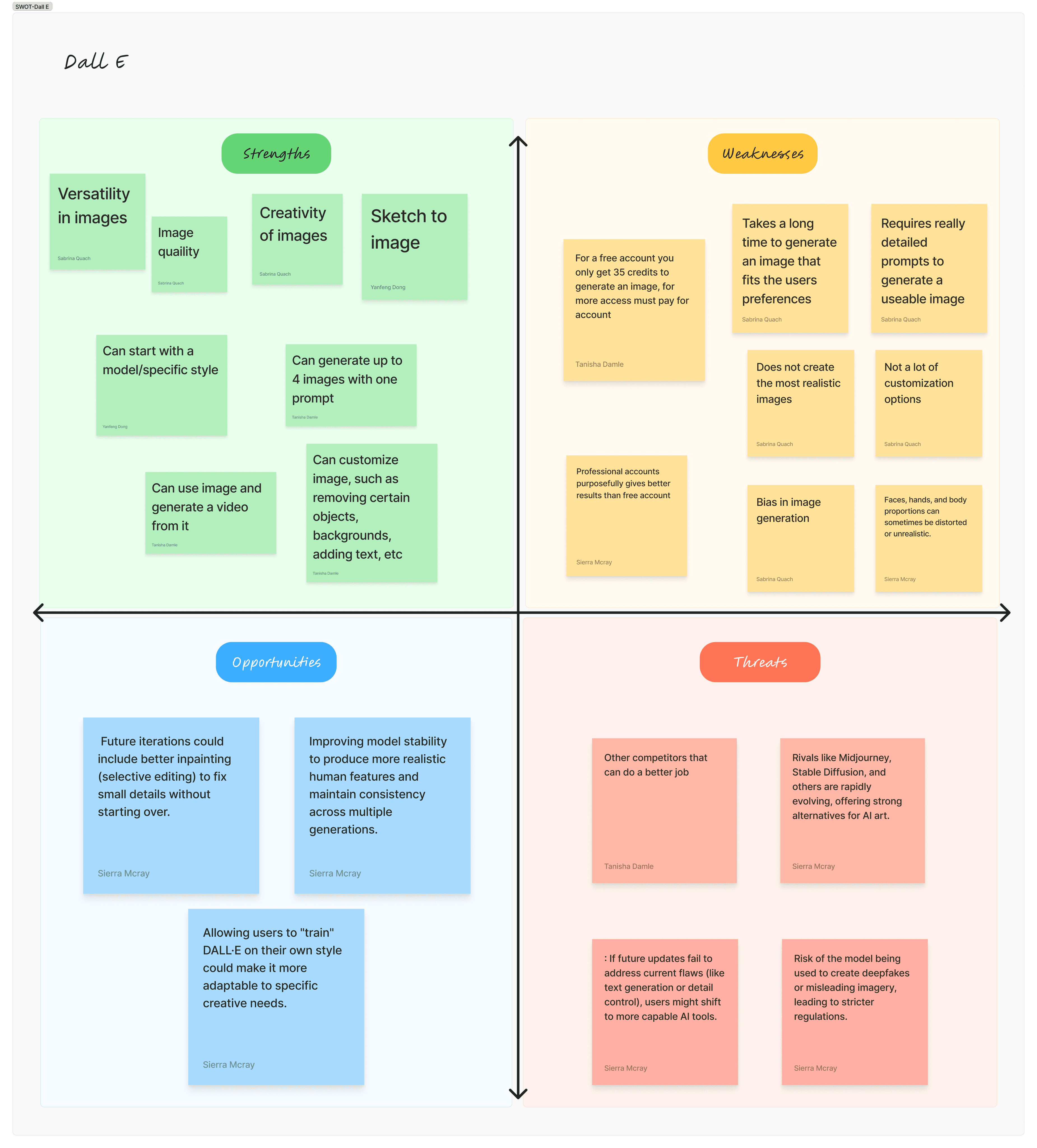
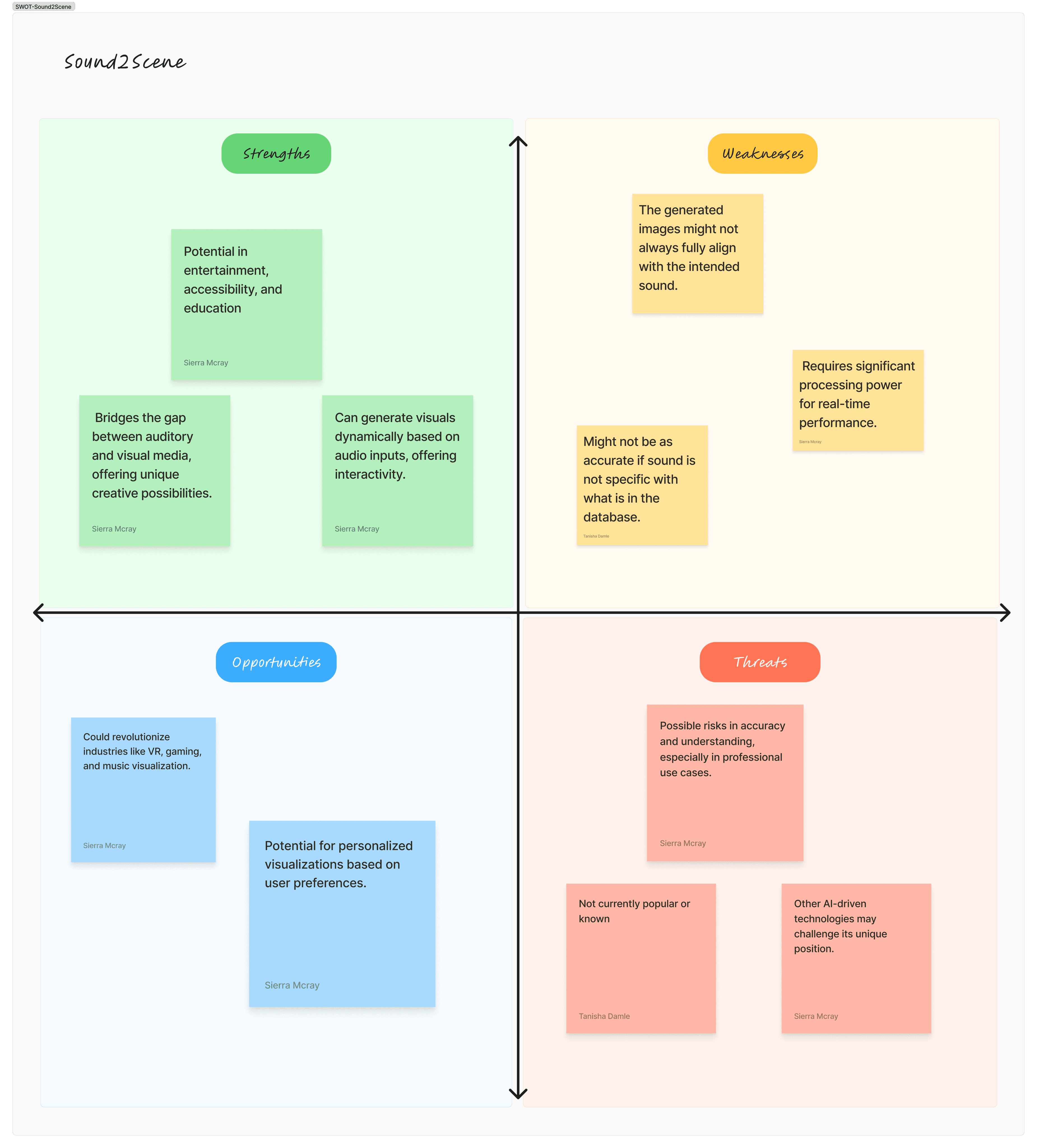
To better understand where Adobe Flux could stand out, we looked at leading AI creative tools—like Midjourney, DALL·E, and upcoming Sound2Scene. Each brought exciting features, but also came with limitations that left many creatives wanting more .
We ran a SWOT analysis (Strengths, Weaknesses, Opportunities, Threats) to break down their core value—and expose the gaps we could design around. Here’s what we found:
RESEARCH
Why Current Tools Fall Short
After organizing our insights, pain points, and user behaviors, we reframed everything into focused Problem Statements to guide our design decisions moving forward. These helped us shift from research to solution with purpose:
Creatives feel limited by prompt-only AI systems that don’t match their thinking style
Non-technical users struggle to express their vision in a way the AI understands
Current tools lack personalization, flexibility, and real-time creative feedback
The AI experience often feels disconnected, emotionless, or frustrating
Now, was time to start problem-solving...
IDEATION
Building Beyond the Prompt
We focused on developing features that directly addressed user pain points while aligning with the themes we uncovered in research. Our key design pillars were:
✍️ Multimodal Input – Allowing users to communicate with AI through sketch, voice, and gestures
🧭 Customizable Workflow Paths – Letting users define how they work, not just what they want
🎨 Refinable AI Outputs – Giving users editable layers, contextual suggestions, and version control
🤝 Collaborative Guidance – Using cursor tracking and smart feedback to help the AI adapt in real time
As we developed the solution, we constantly asked:
Does this feel natural for creatives? Does it feel realistic?
IDEATION
Early Design Concepts
Before jumping into high-fidelity design, we explored the core interactions and layout of Adobe Flux through low-fidelity sketches. This phase allowed us to quickly test ideas, visualize different input methods we created based on our research, and map out how users might navigate the system.
Our sketches focused on:
🎨 Canvas Interface
A responsive space where sketch-based AI generation could unfold
🖼️ Editable Layers
Ways to refine generated content in a modular, user-controlled format
🪄 AI Guidance
Visualizing cursor tracking, tooltips, and smart suggestions in action
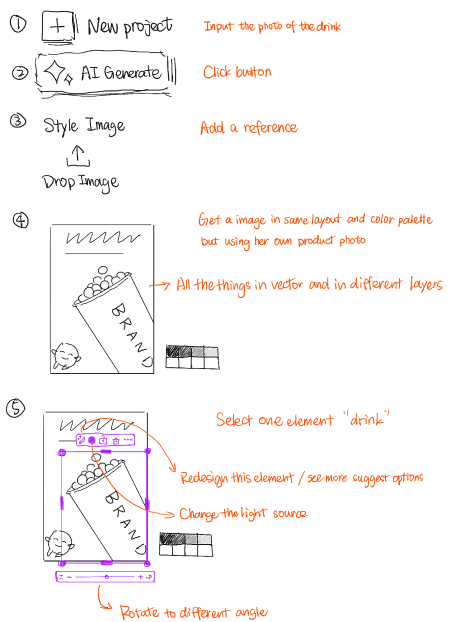
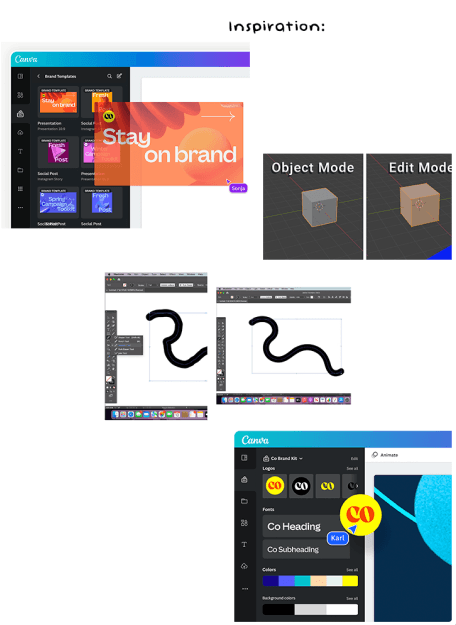
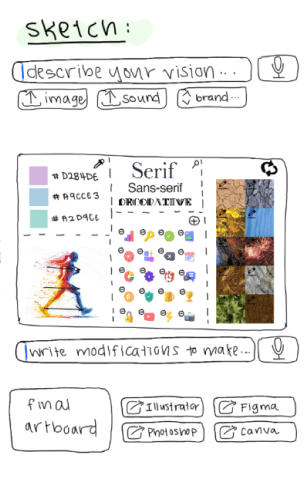
Sketching and gathering inspiration helped us keep the design flexible and user-centered. It also gave our team a fast way to align on interaction patterns before moving into wireframes and prototyping.
DESIGN
Laying the Groundwork
Once our sketches clarified the key interactions, we translated them into low-fidelity wireframes to start shaping the layout, hierarchy, and flow of Adobe Flux.
This phase focused on structure over style, allowing us to test ideas quickly and refine user experience before investing in visuals.
Key wireframes included:
📂 Input Mode Selector – A clean entry screen where users choose between sketch, voice, text, or gestures
🖼️ AI Canvas View – A flexible workspace for drawing, editing, or layering generated content
🎛️ Sidebar Tools – Controls for adjusting generation settings, accessing saved versions, and receiving AI suggestions
💬 Live Feedback Panel – A space where the AI offers contextual support based on the user’s actions
We used tools like Figma and FigJam to build and iterate these wireframes collaboratively and constantly.
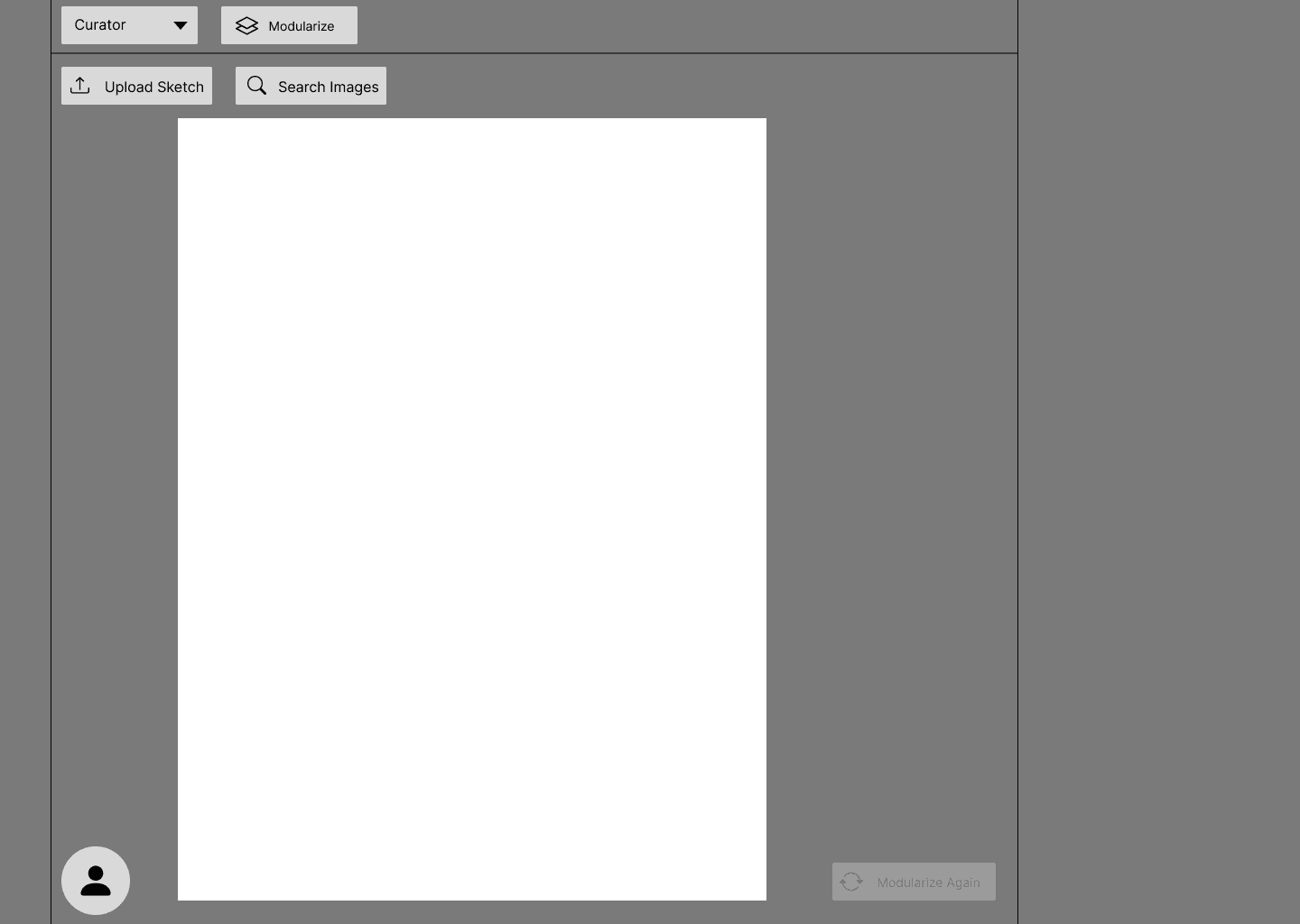
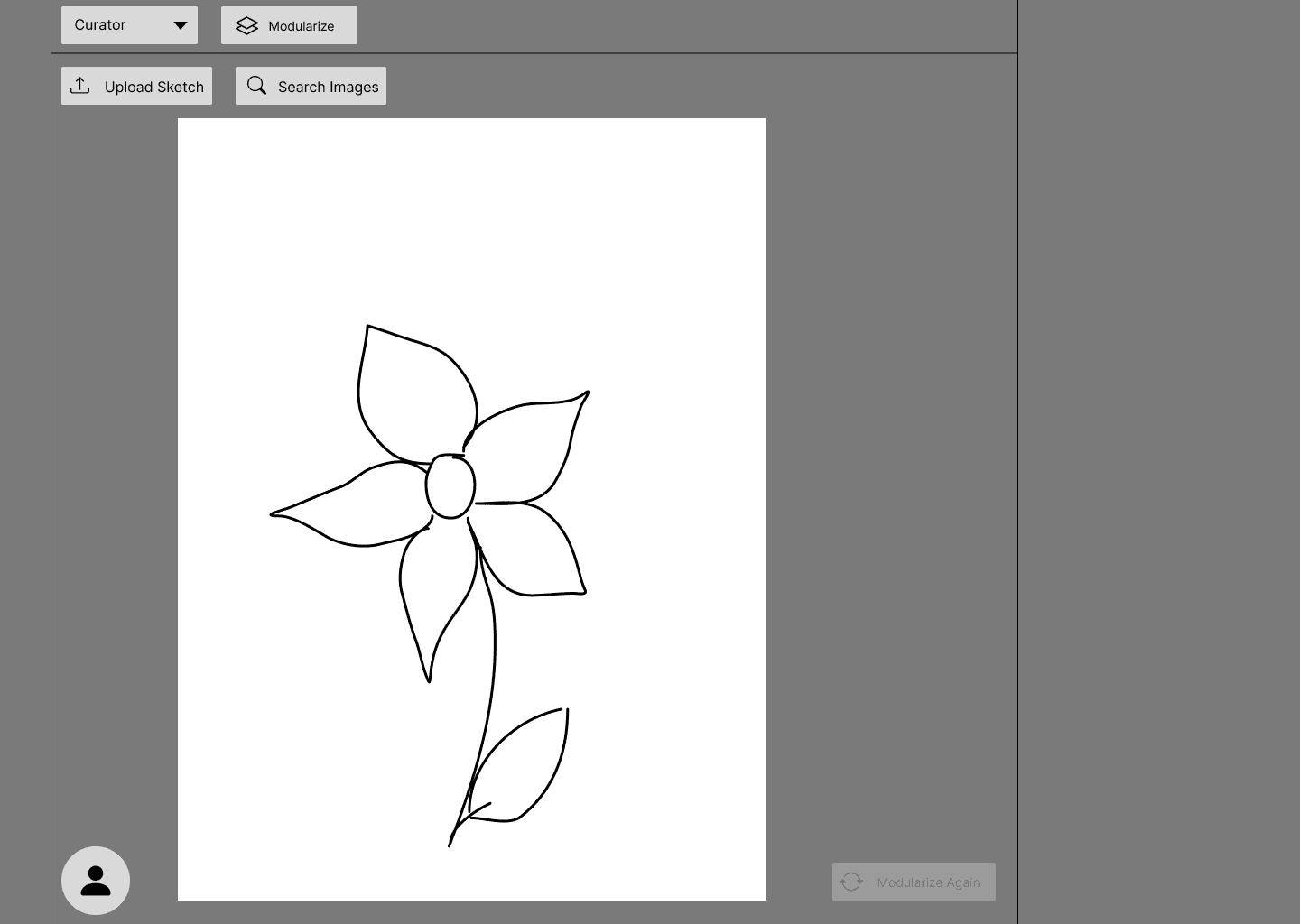
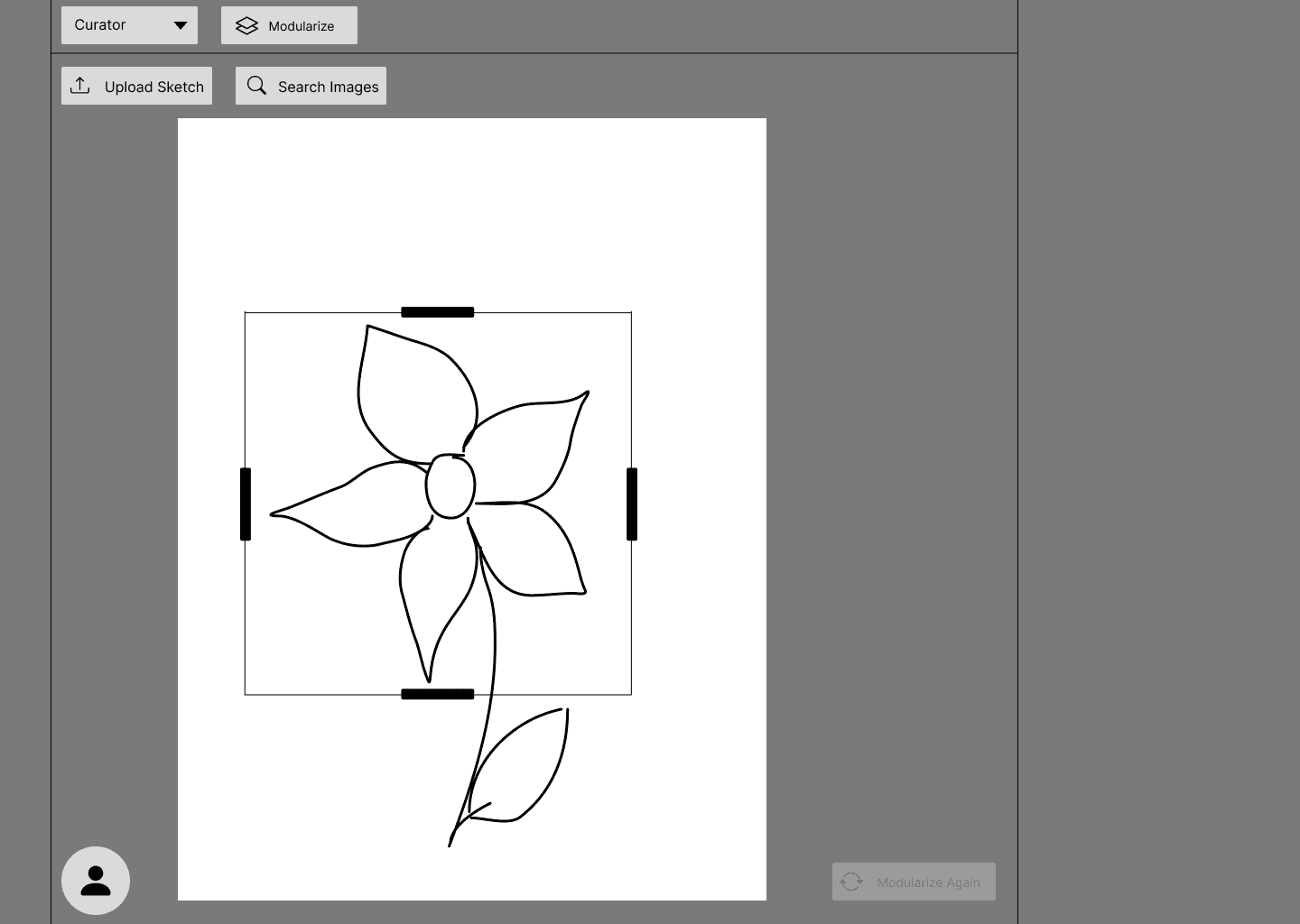
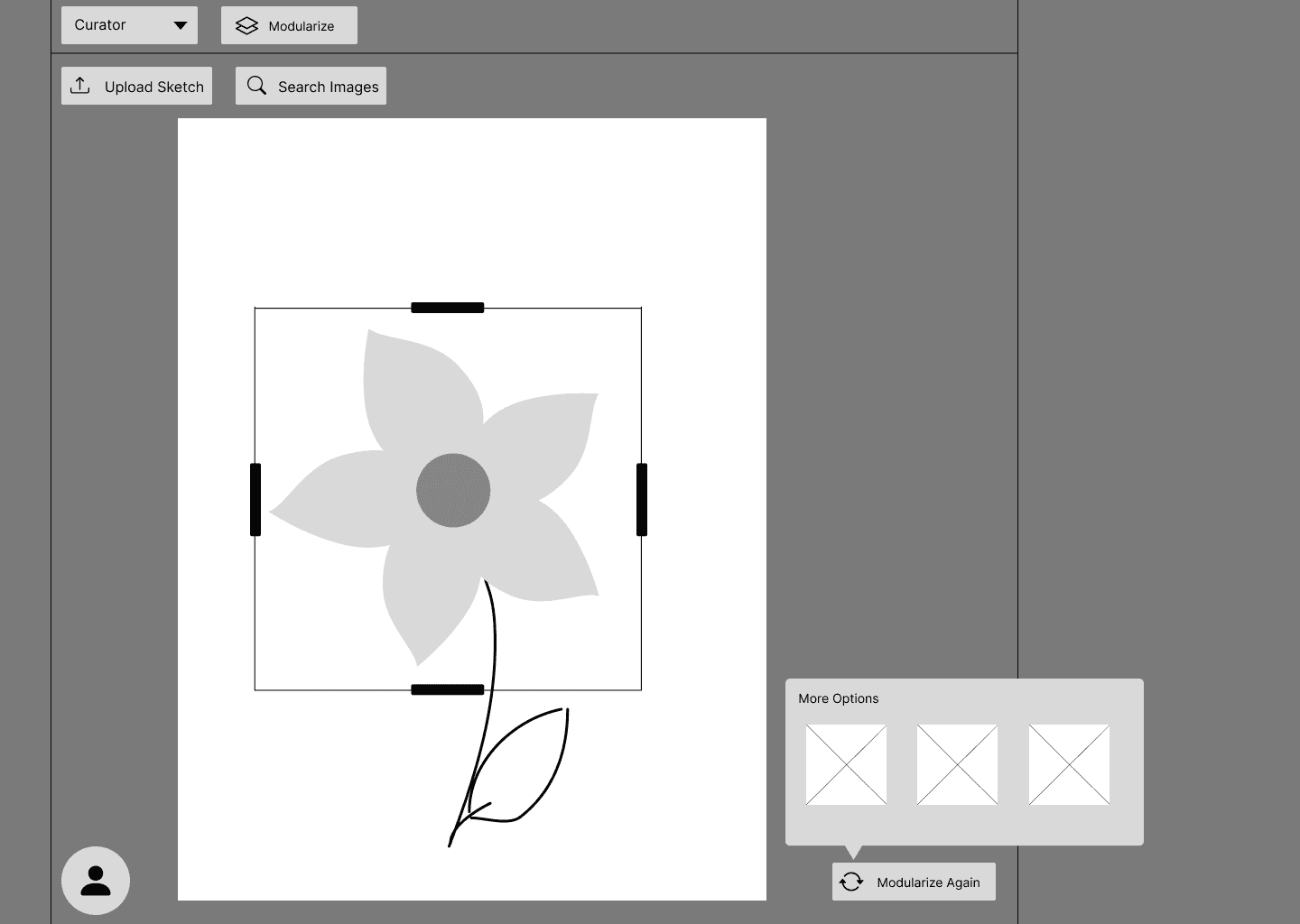
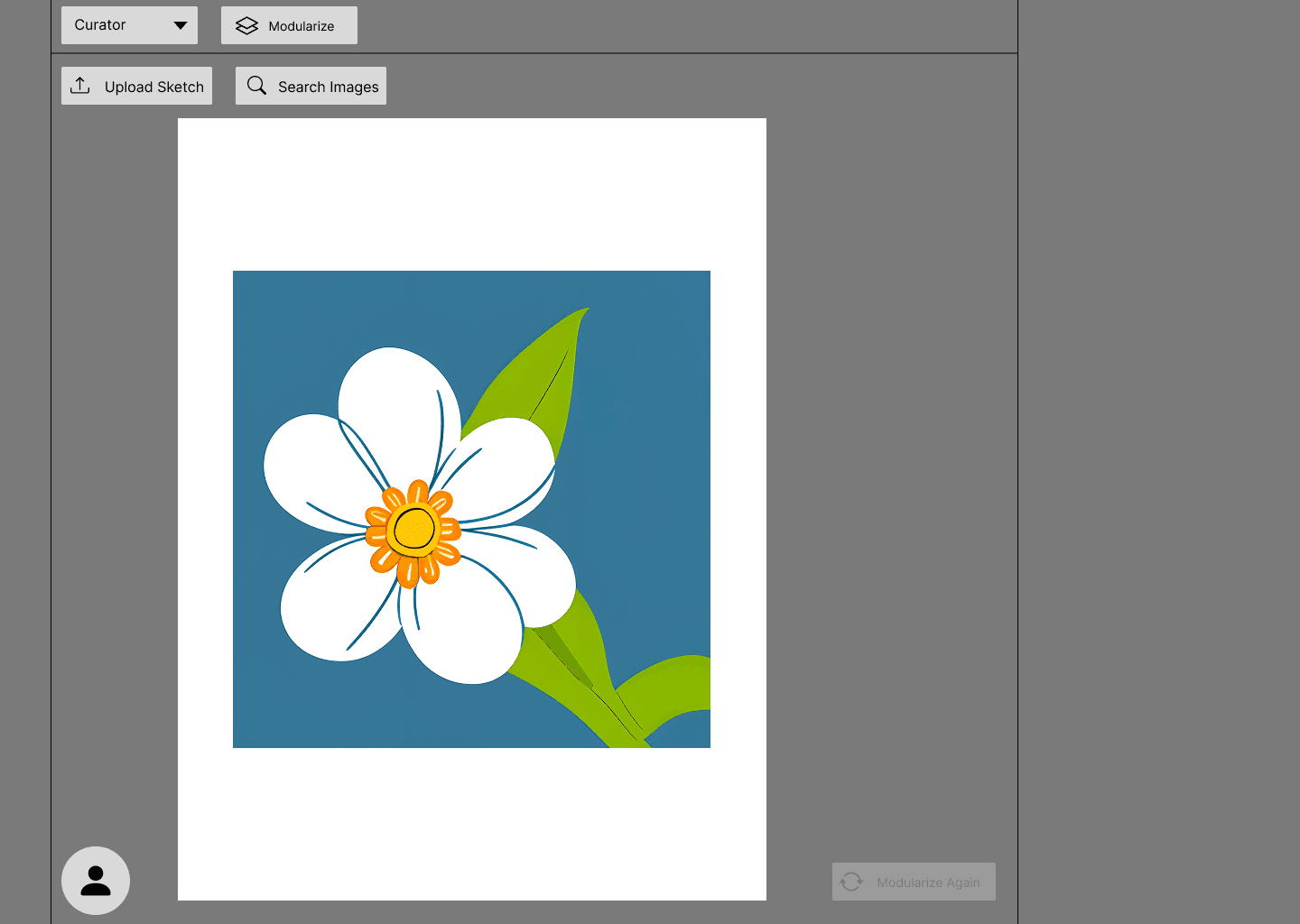
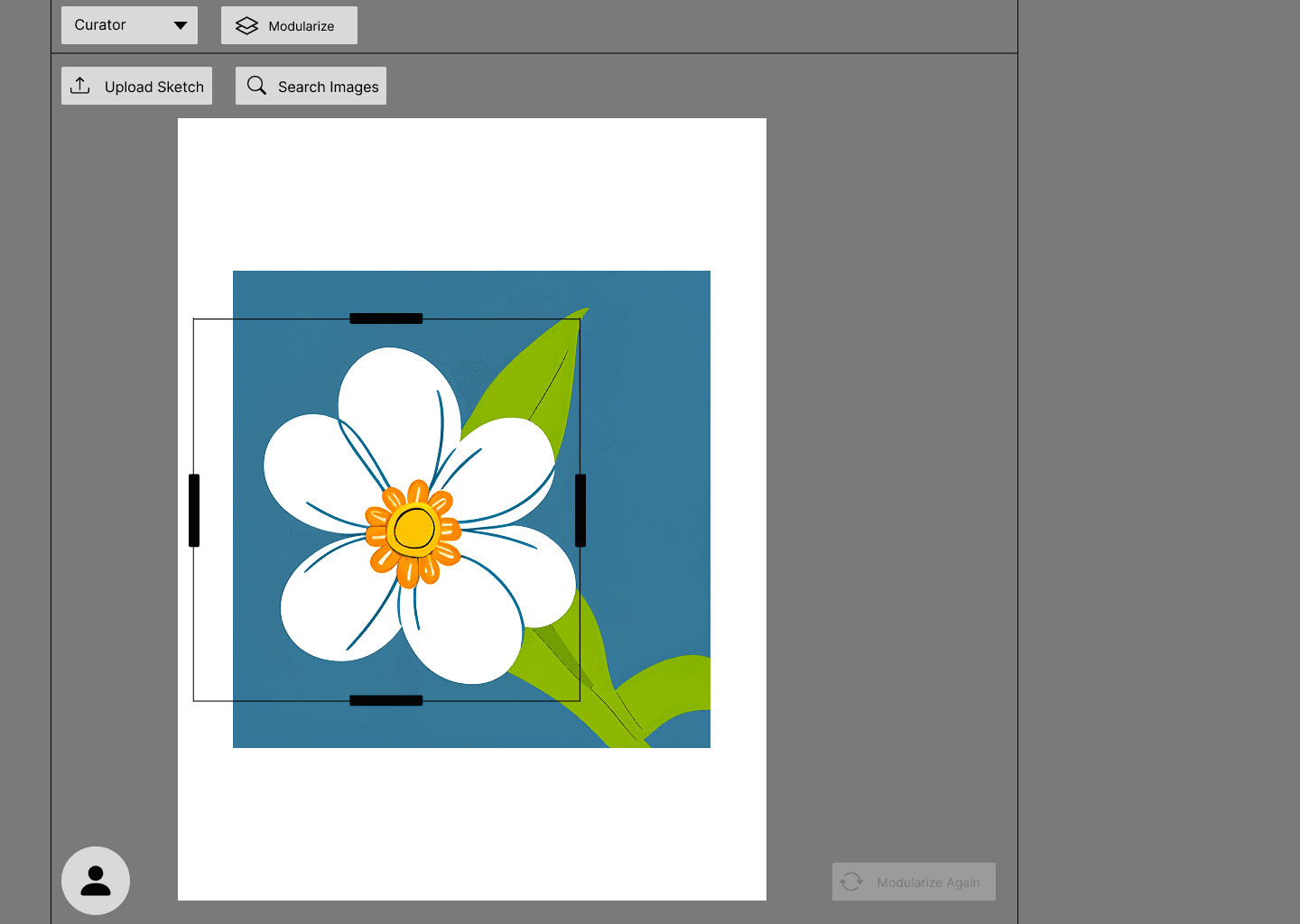
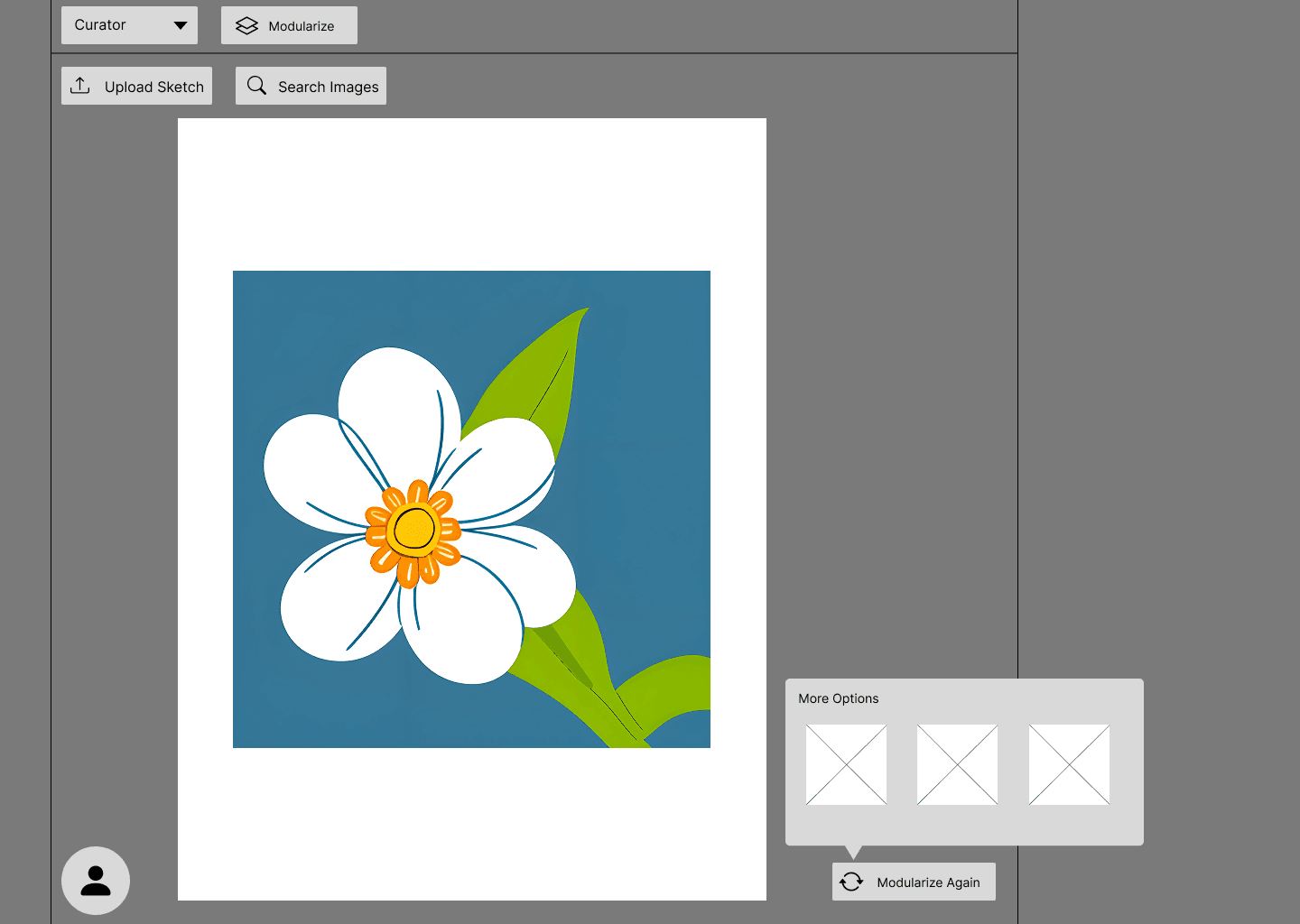
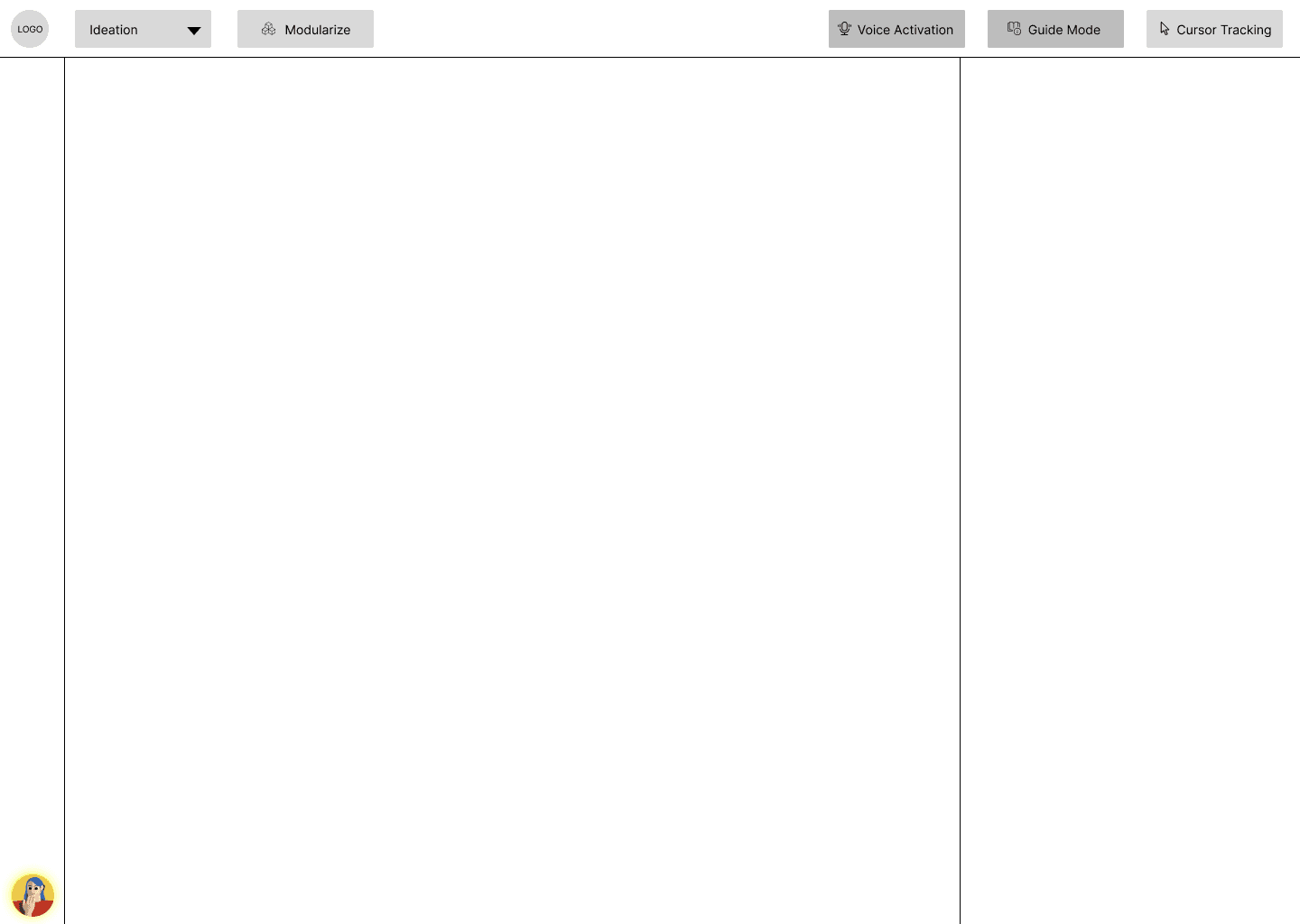
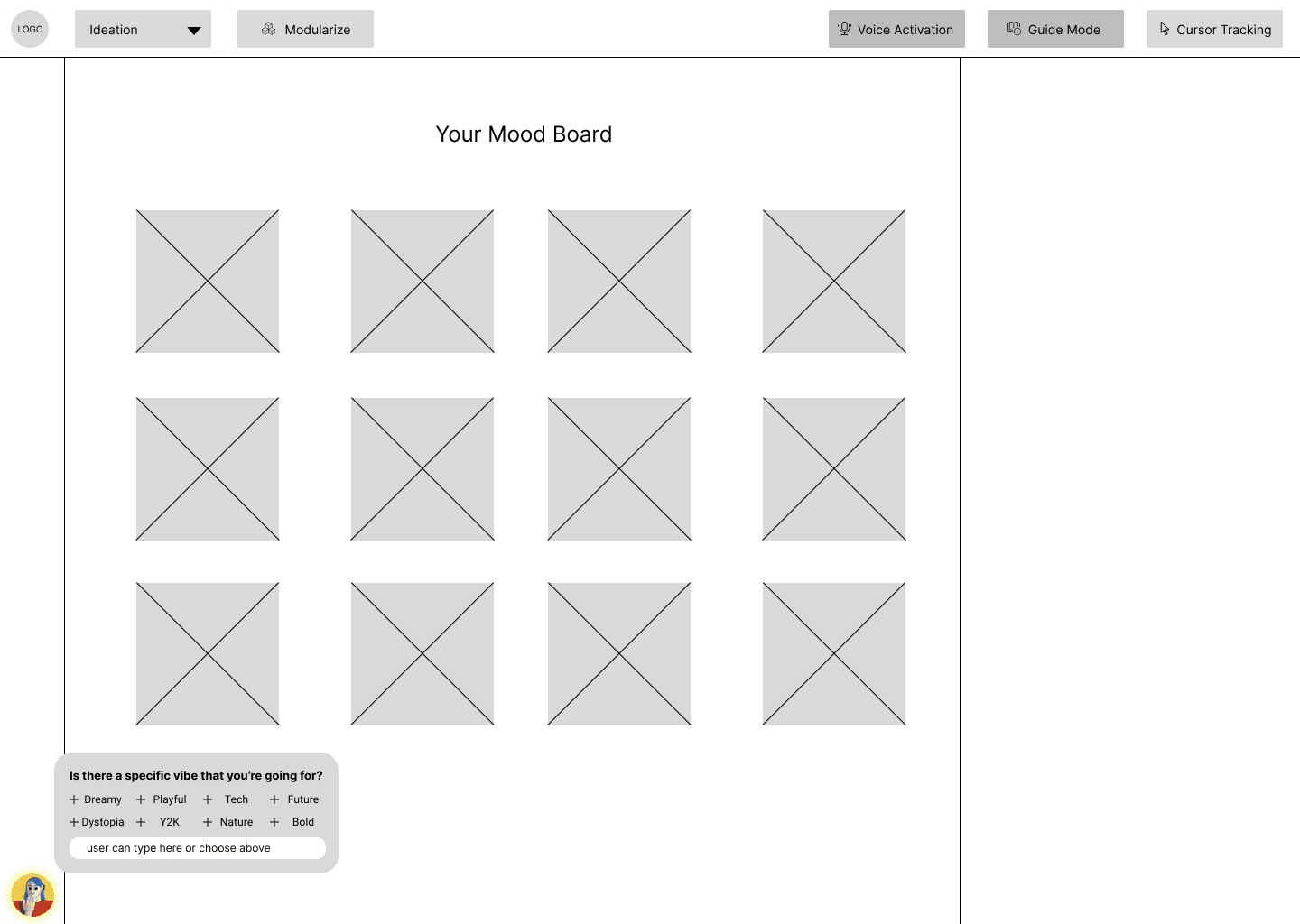
This phase was all about interaction clarity—ensuring every click, drag, and toggle served the user's creative process, not the AI’s.
DESIGN
Styling the Experience
Our design system was crafted to feel lightweight, assistive, and intuitive, without overwhelming the user. Since Flux is all about co-creating with AI, the interface needed to stay out of the way and amplify creativity.
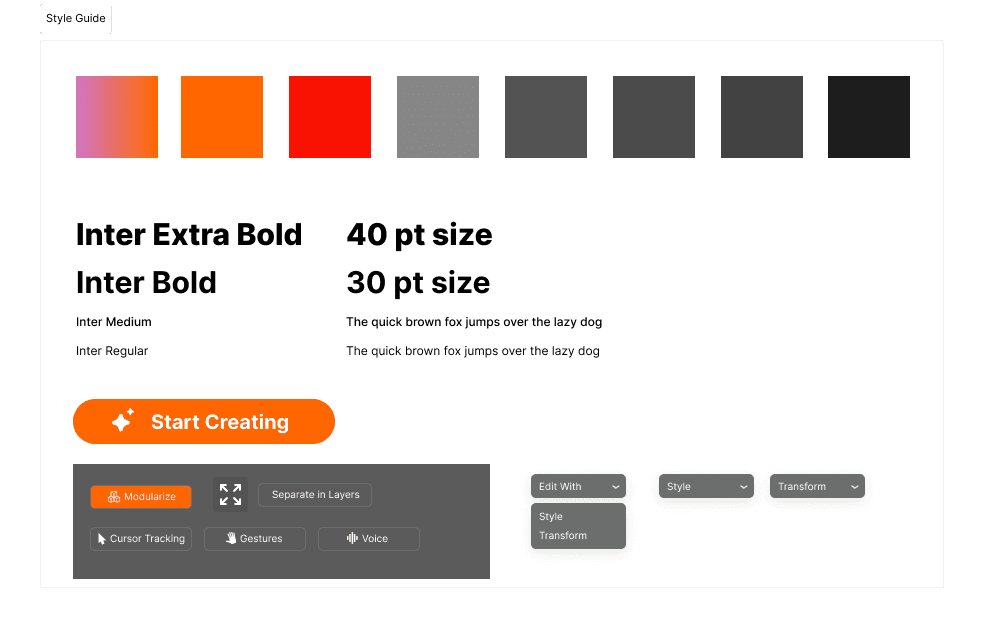
Now it's time to turn feedback into flow…
TEST & REFINE
Putting It to the Test
We conducted multiple rounds of user testing, each one followed by feedback sessions, design critiques, and rapid refinements. Our goal? To make the system feel natural without overwhelming the user. Sessions were remote, think-aloud style, and focused on core tasks like:
Selecting an input method (sketch, voice, gesture)
Generating and editing content using the AI canvas
Customizing results through layers and guidance tools
Navigating back to previous versions
So what was learned?
Before
After
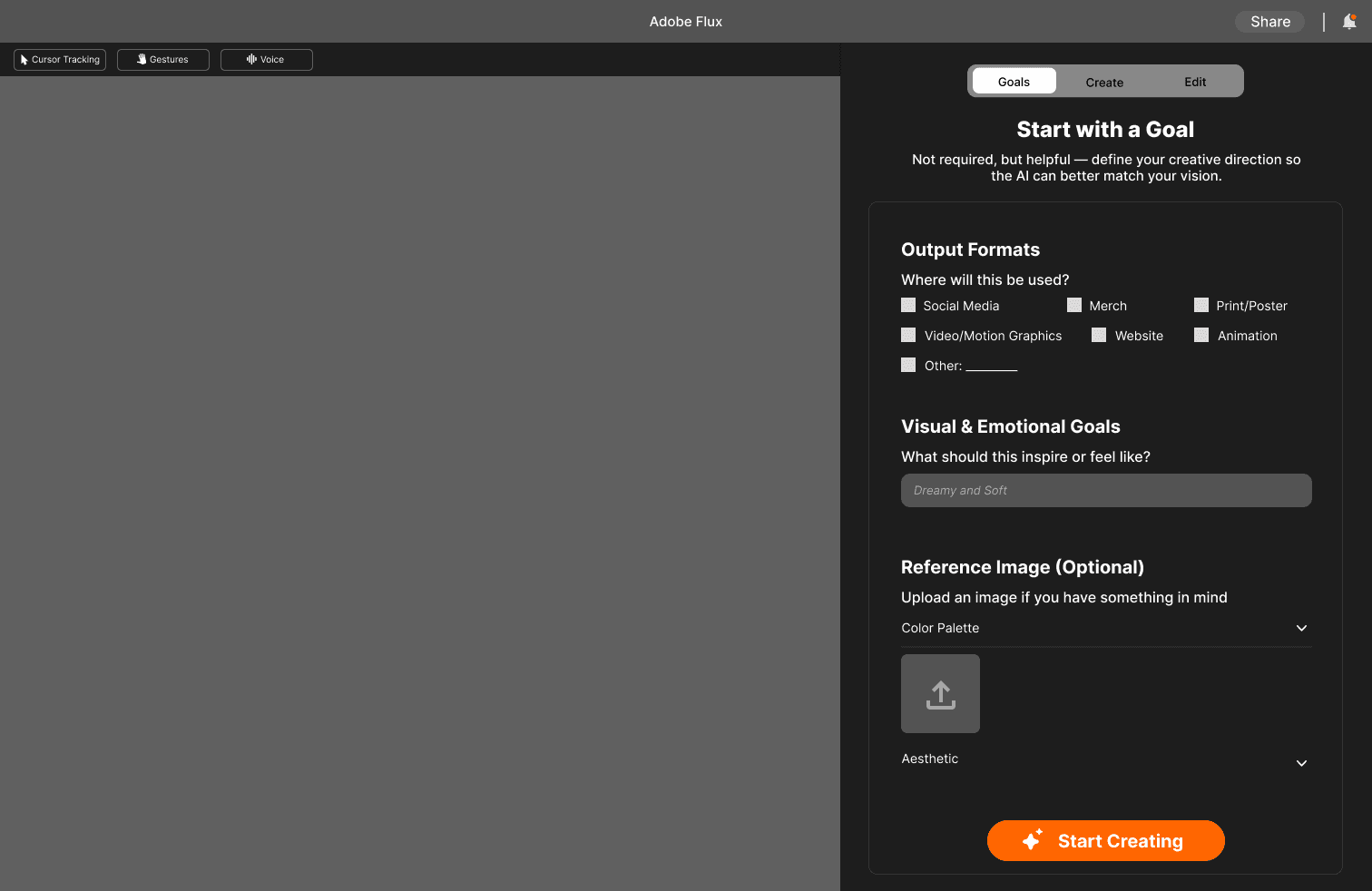
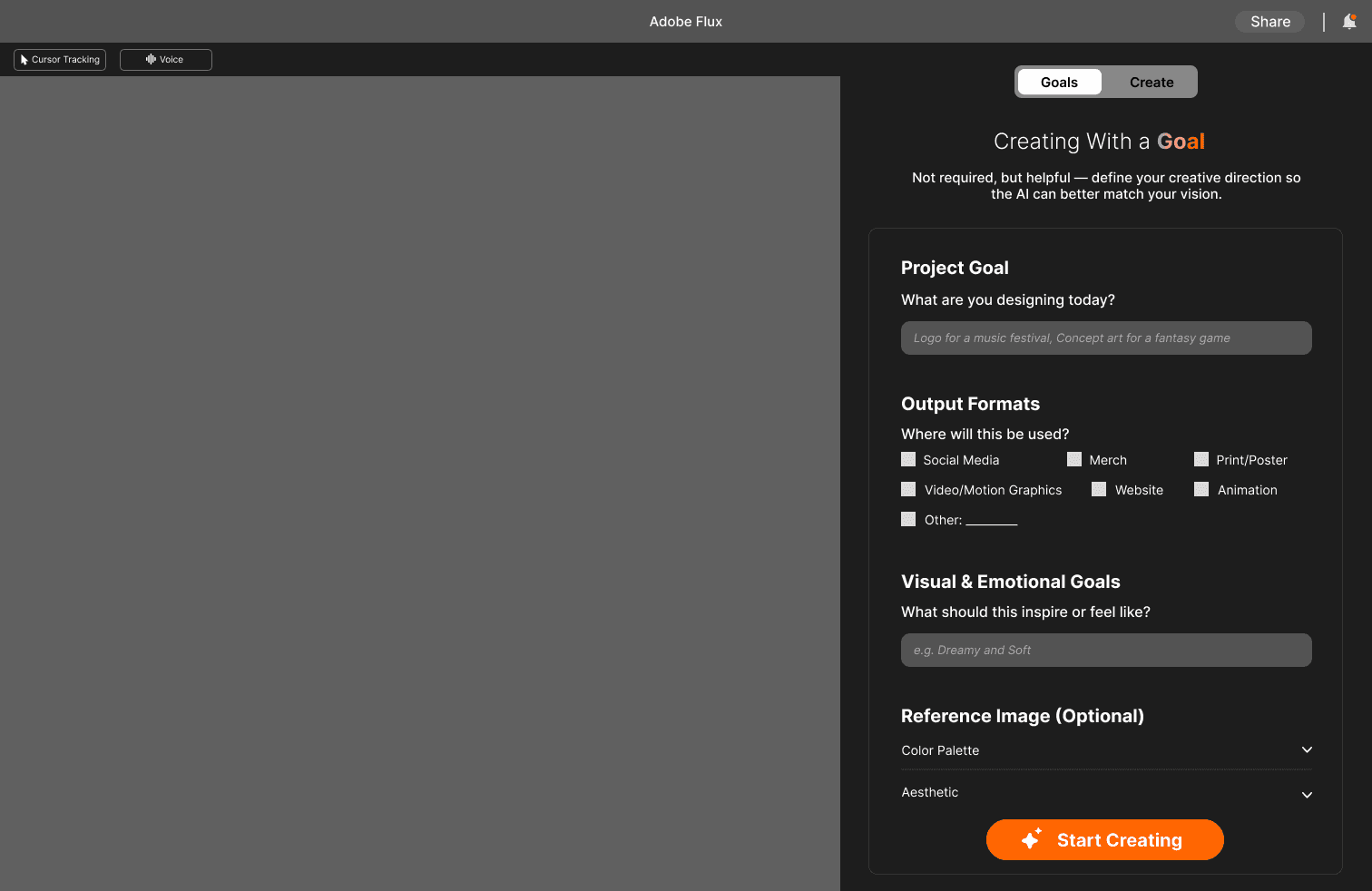
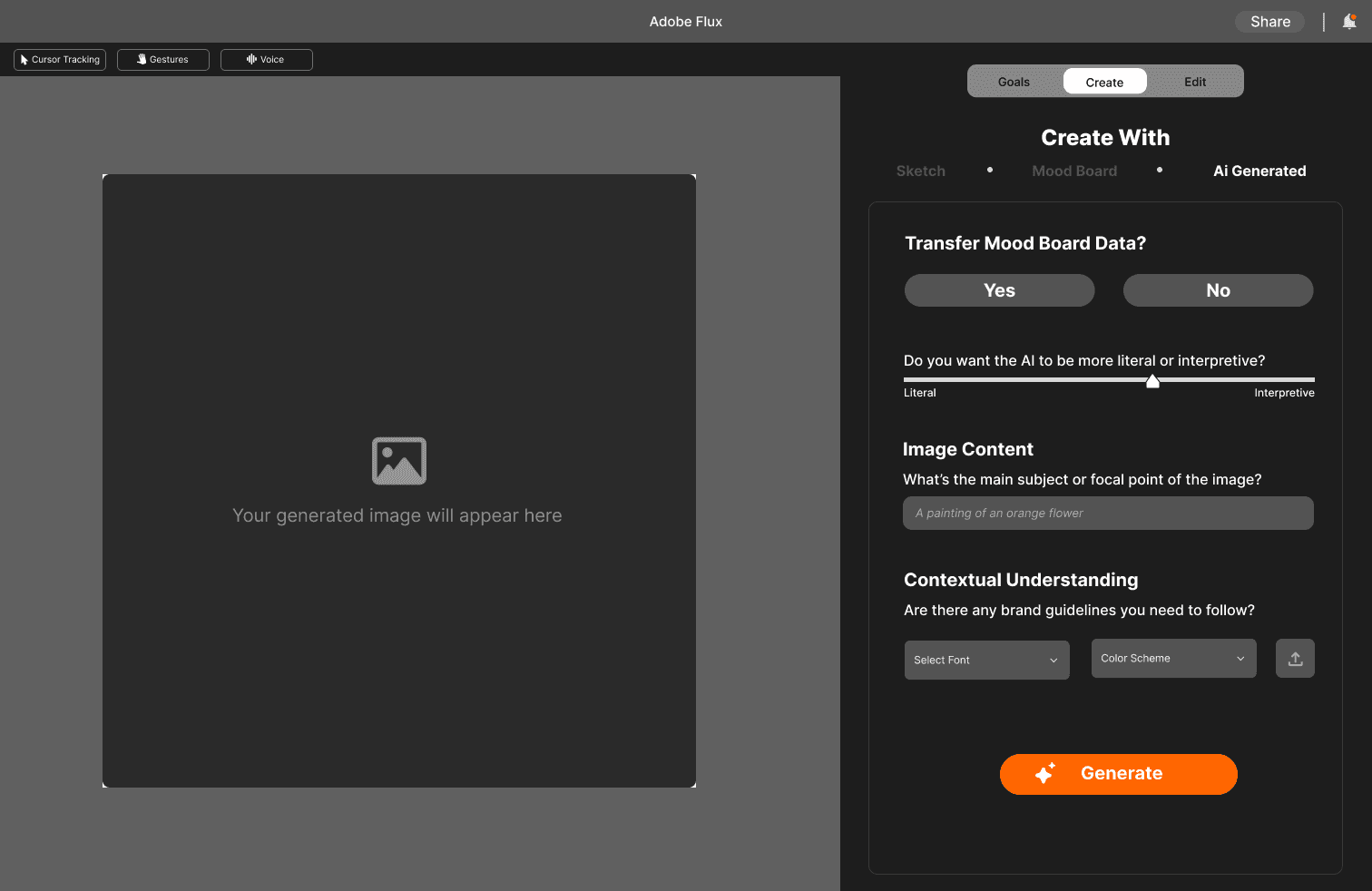
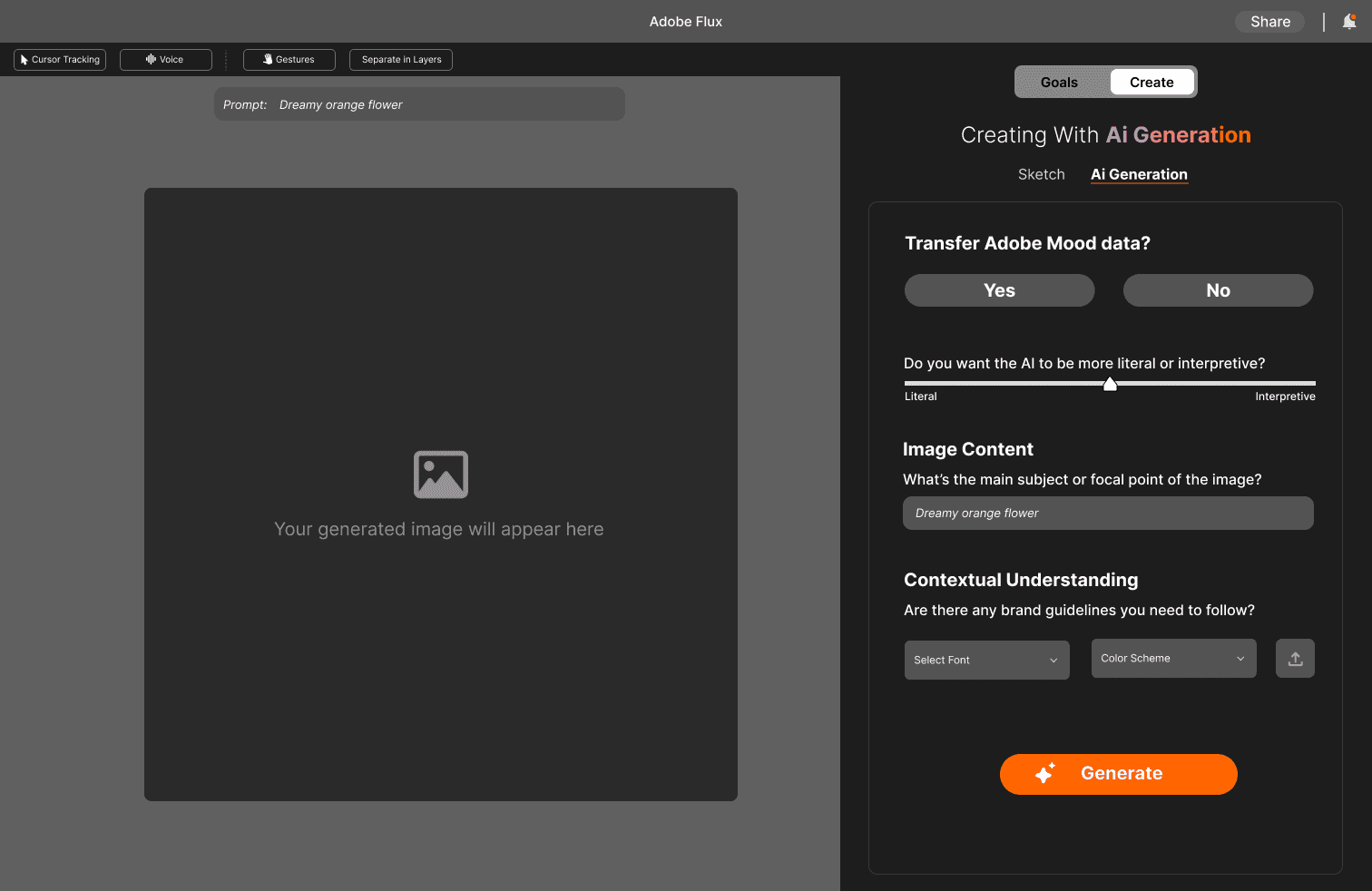
Update 1:
❌ Overcomplicated navigation with separate modes for Goals, Create, and Edit
✅Condensed into two core modes—Goals and Create
❌ Users had little flexibility in how goals were presented
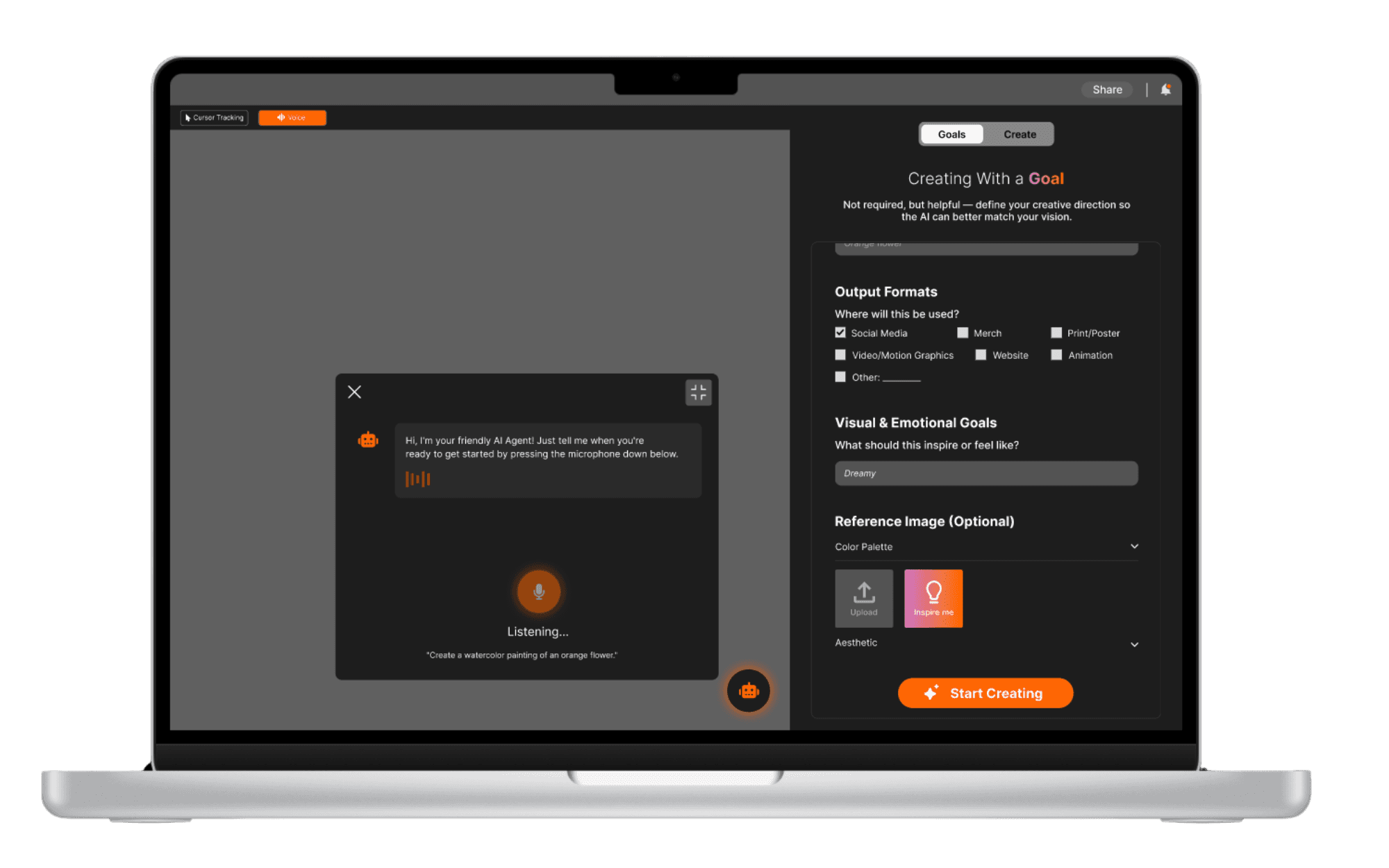
✅ Gave users control over inputting project description.
❌ Unclear header design lacking hierarchy or clarity
✅ Redesigned header with improved structure and visual hierarchy to anchor the experience
❌ Gesture button permanently visible, causing confusion.
✅ Made gesture prompts appear only when contextually relevant to the user’s actions
Before
After
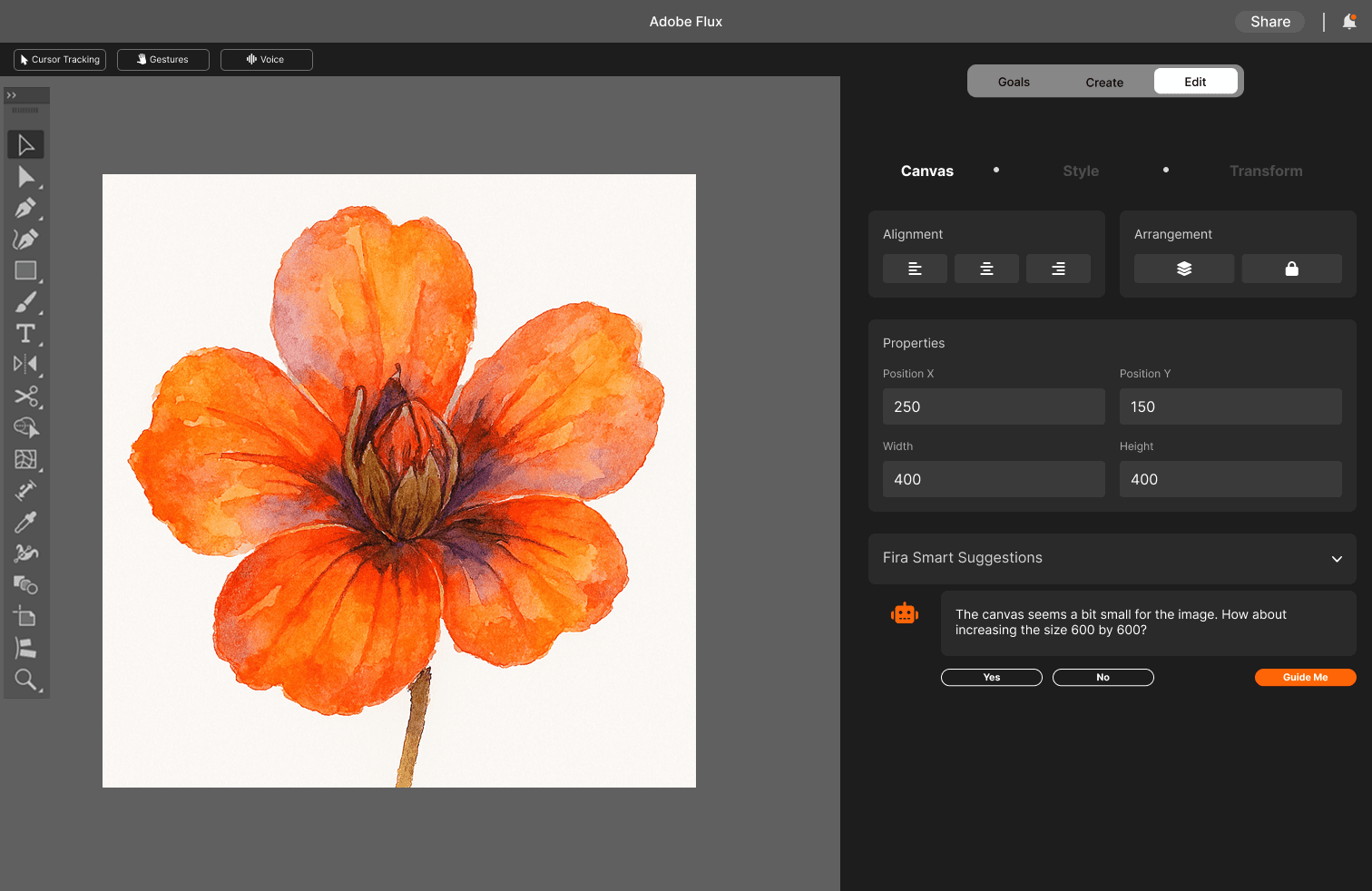
Update 2:
❌ Too many options cluttering the Create screen
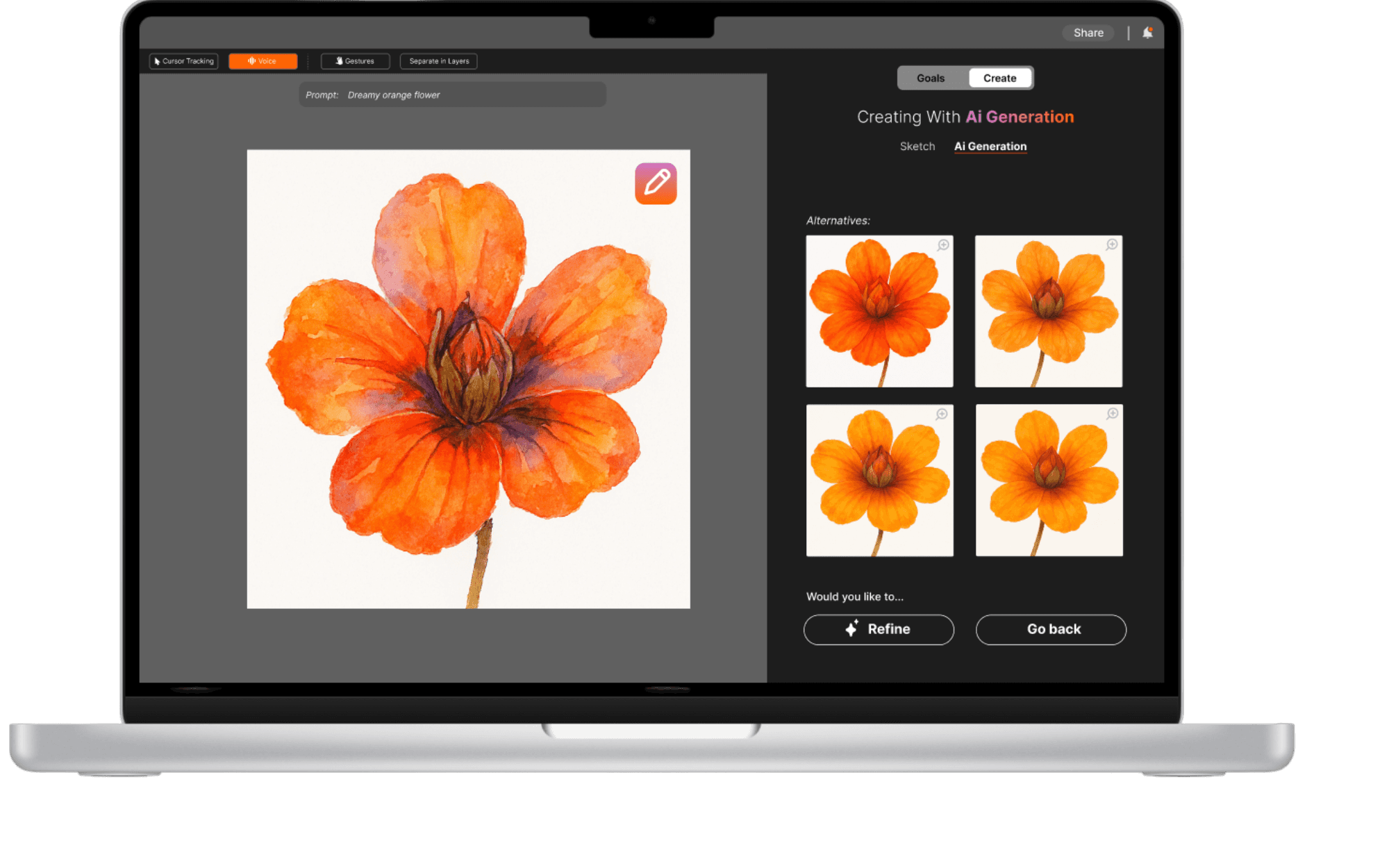
✅ Simplified Create screen to just Sketch and AI Generation, moving Moodboards (changed to "Reference") to the Goals panel
❌ No support for users who already use Adobe’s Moodboard tool
✅ Integrated optional link-out to Adobe’s new Moodboards app for curated project inspiration
❌ Visual hierarchy lacked clarity, making it hard to distinguish sections
✅ Improved layout with stronger headlines and typographic contrast for easy scanning
❌ Users lost track of their original prompt while navigating
✅ Added persistent prompt reminder on the updated screen to maintain context and creative direction
Before
After
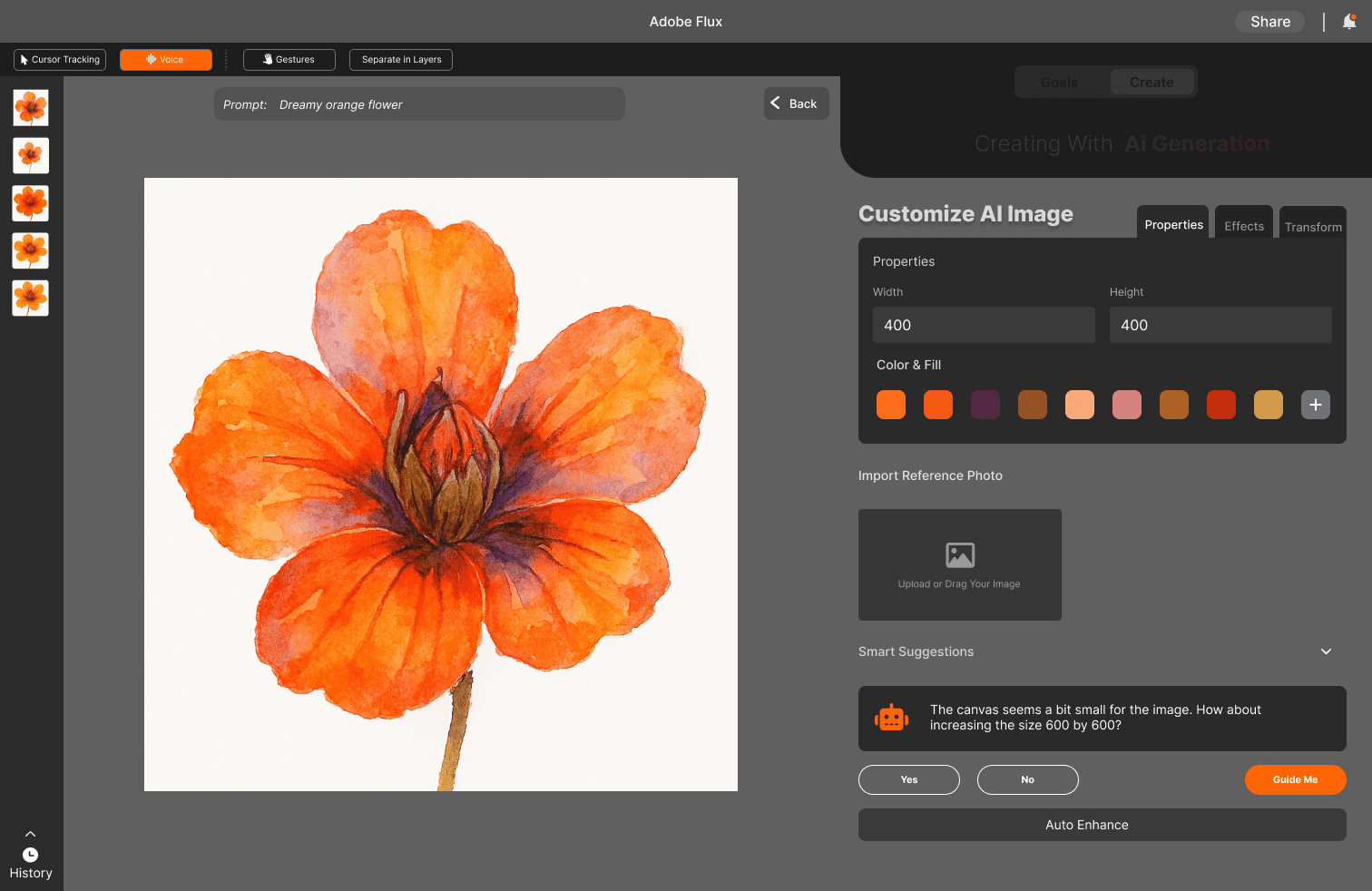
Update 3:
❌ Poor hierarchy made it unclear users had entered a deeper editing layer
✅ Improved hierarchy and navigation to clearly indicate users are now in Edit Mode for AI-generated images
❌ Experience felt too similar to existing Adobe tools like Photoshop
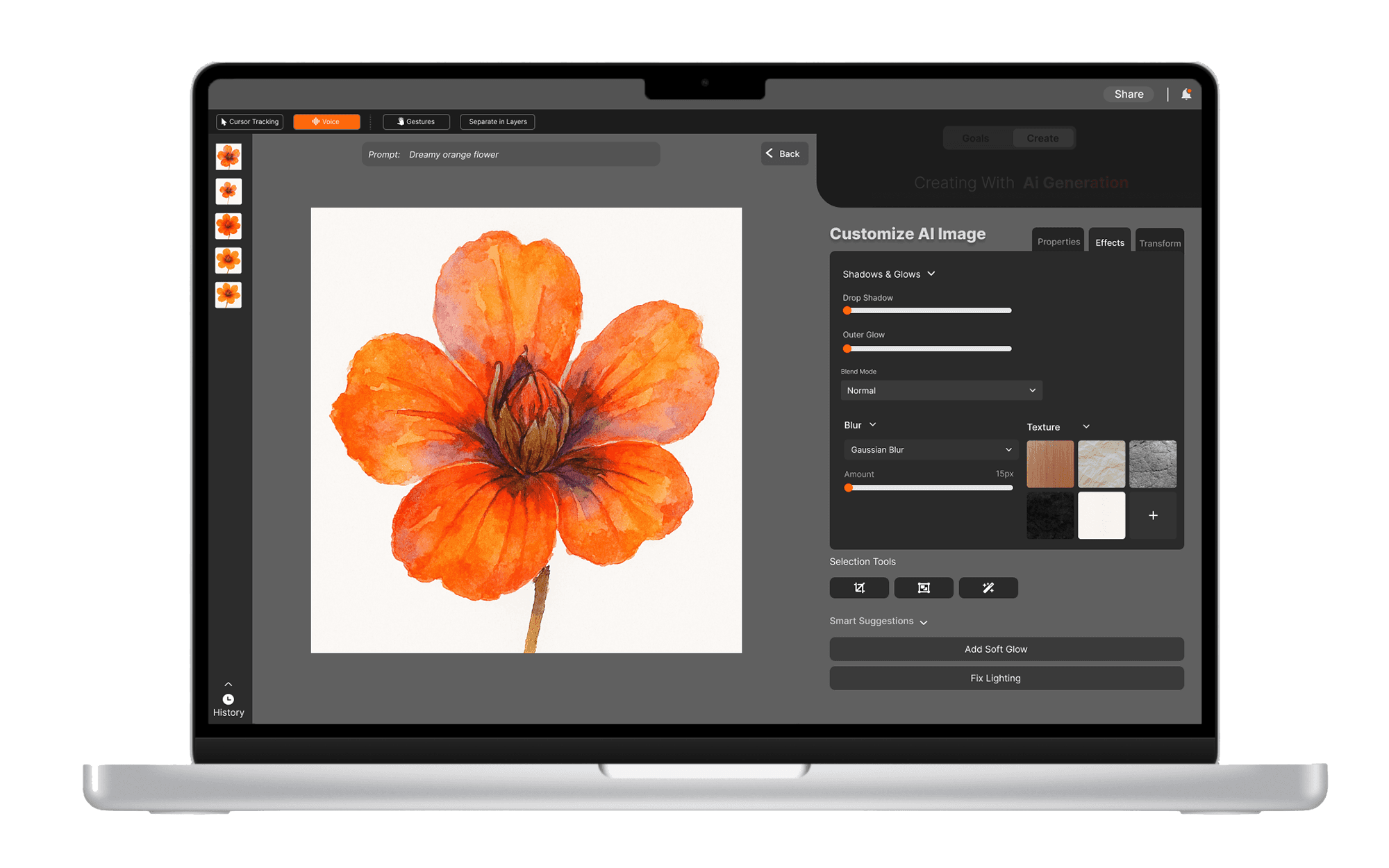
✅ Reimagined editing tools specifically for AI generation, creating a distinct experience tailored to generative workflows
❌ Vague or unfamiliar terms created confusion
✅ Replaced terminology with language familiar to Adobe and other creative platforms for better recognition
❌ No way to revisit or revise earlier edits
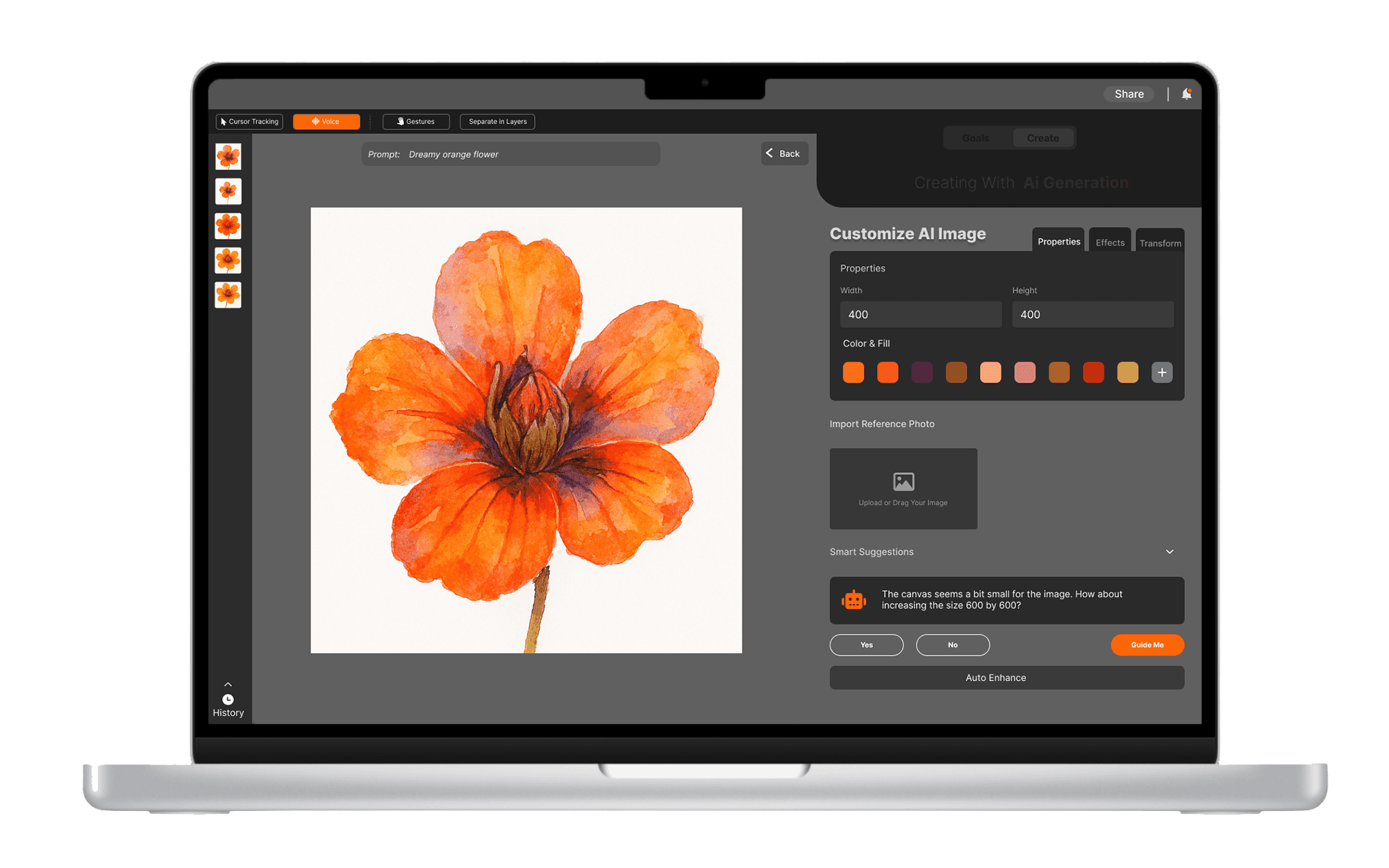
✅ Introduced a Timeline feature, allowing users to view and revert to previous image states
Meet Adobe Flux
🧭 Designing with Context in Mind
Before jumping into creation, Adobe Flux prompts users to define their goals and moodboards. This step builds contextual understanding, ensuring the AI generates visuals aligned with the user’s vision.
✏️ From Sketch to Control
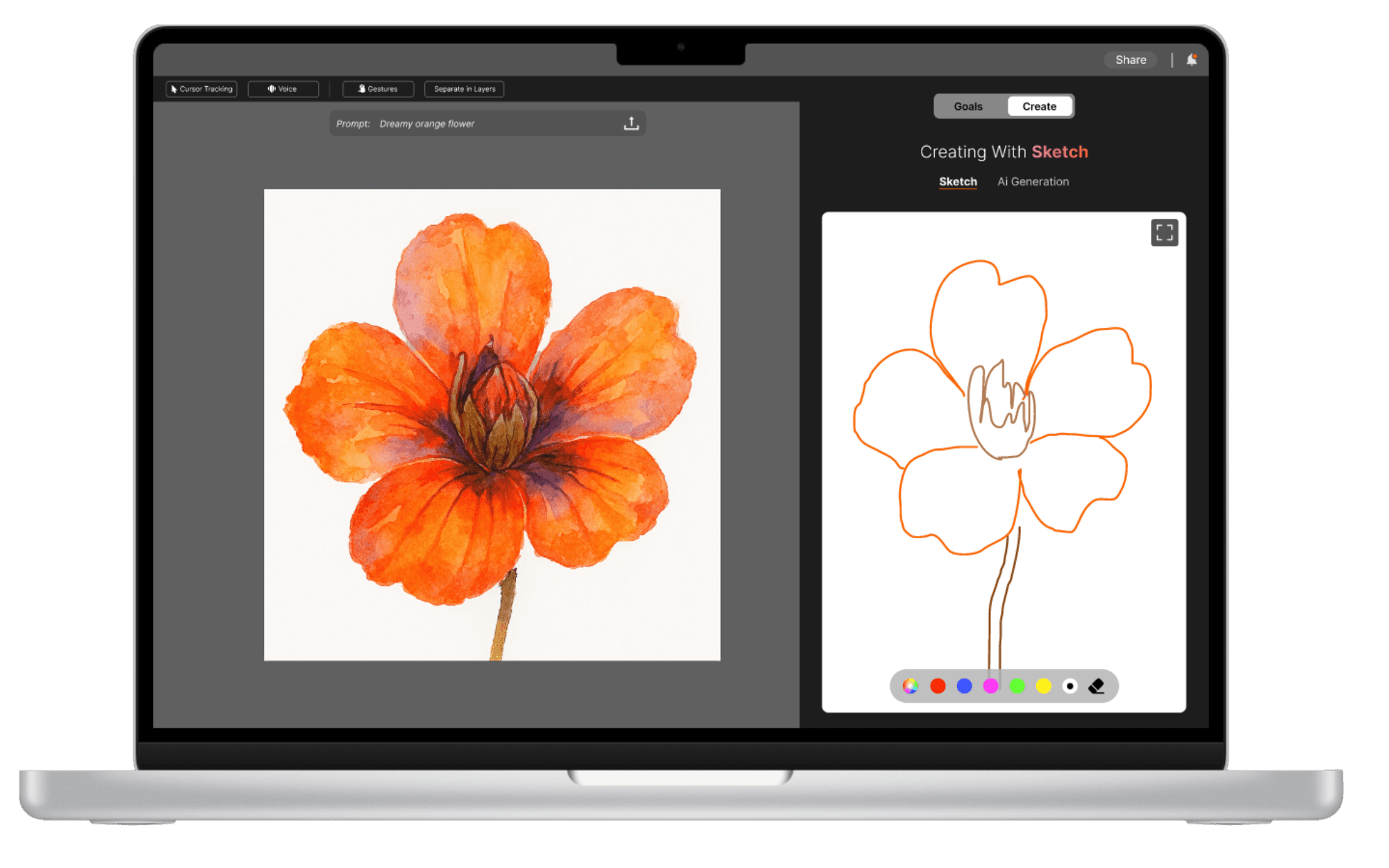
Sketch mode lets users quickly illustrate ideas, then transforms those sketches into refined AI-generated visuals. With cursor tracking, users can hover over specific elements to tweak or refine them.
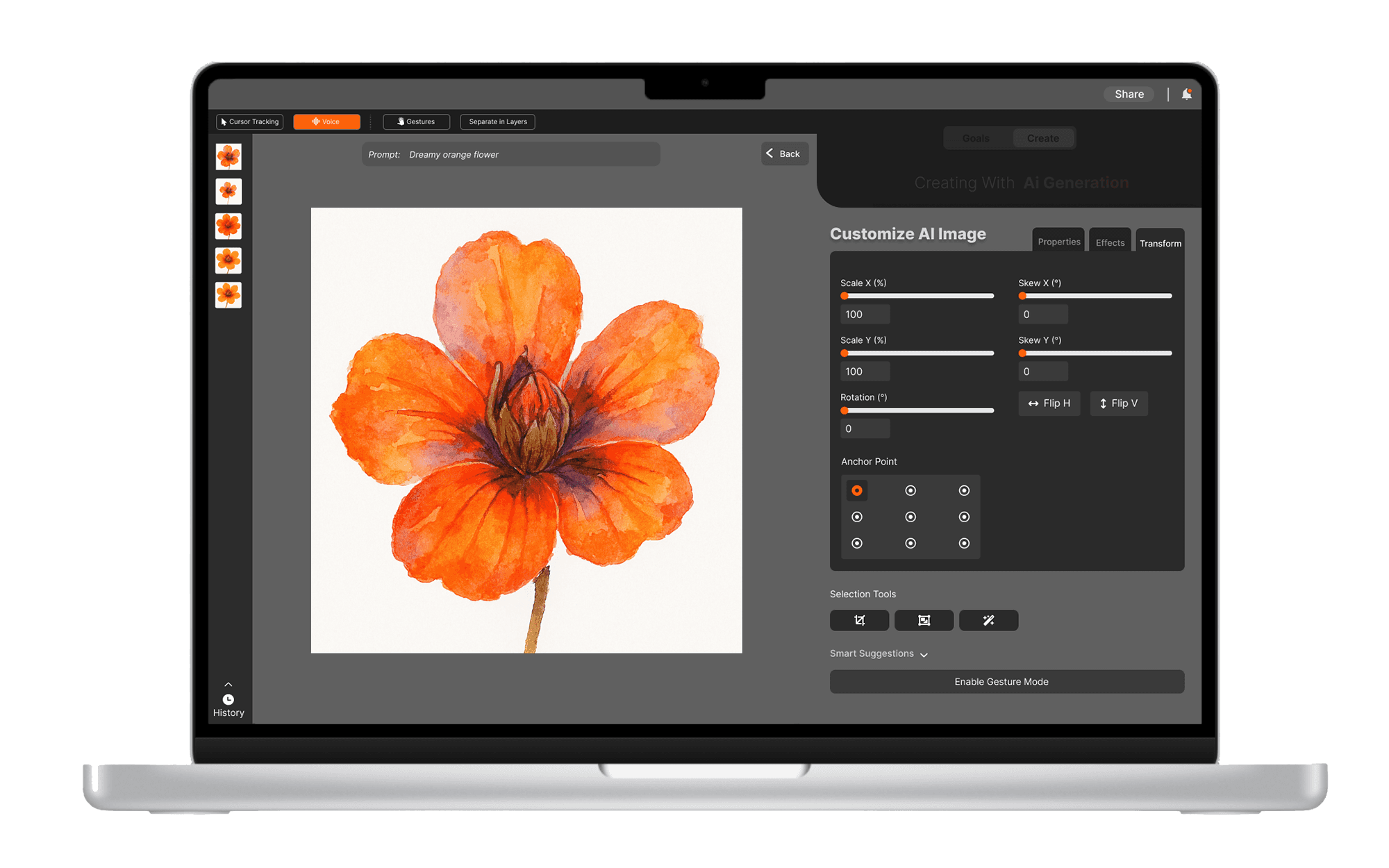
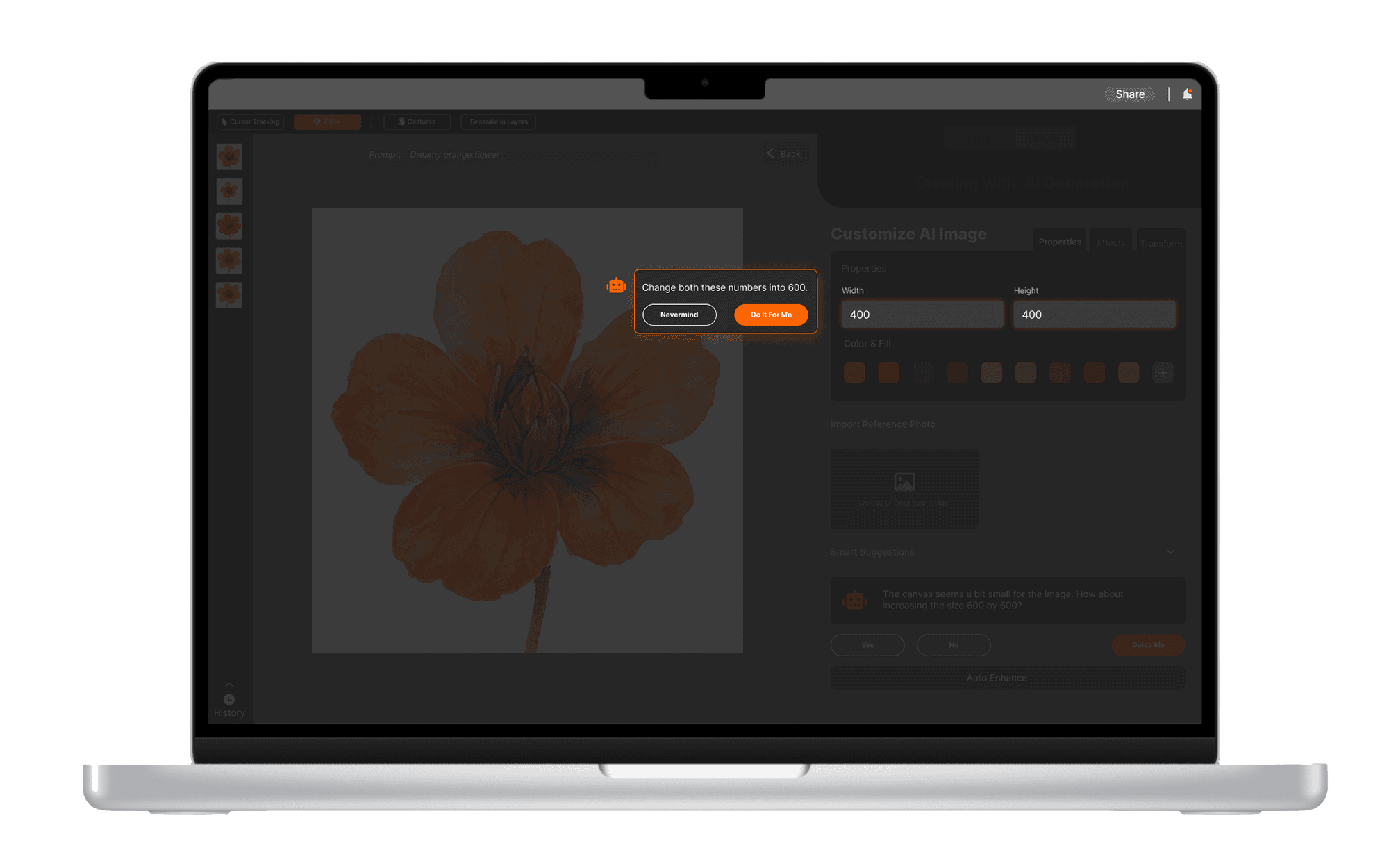
🖼️ Edit with AI Assistance
In Edit Mode, users can fine-tune their generated images. Alongside the tools, AI-powered suggestions offer smart, contextual edits that evolve with the user’s creative intent.
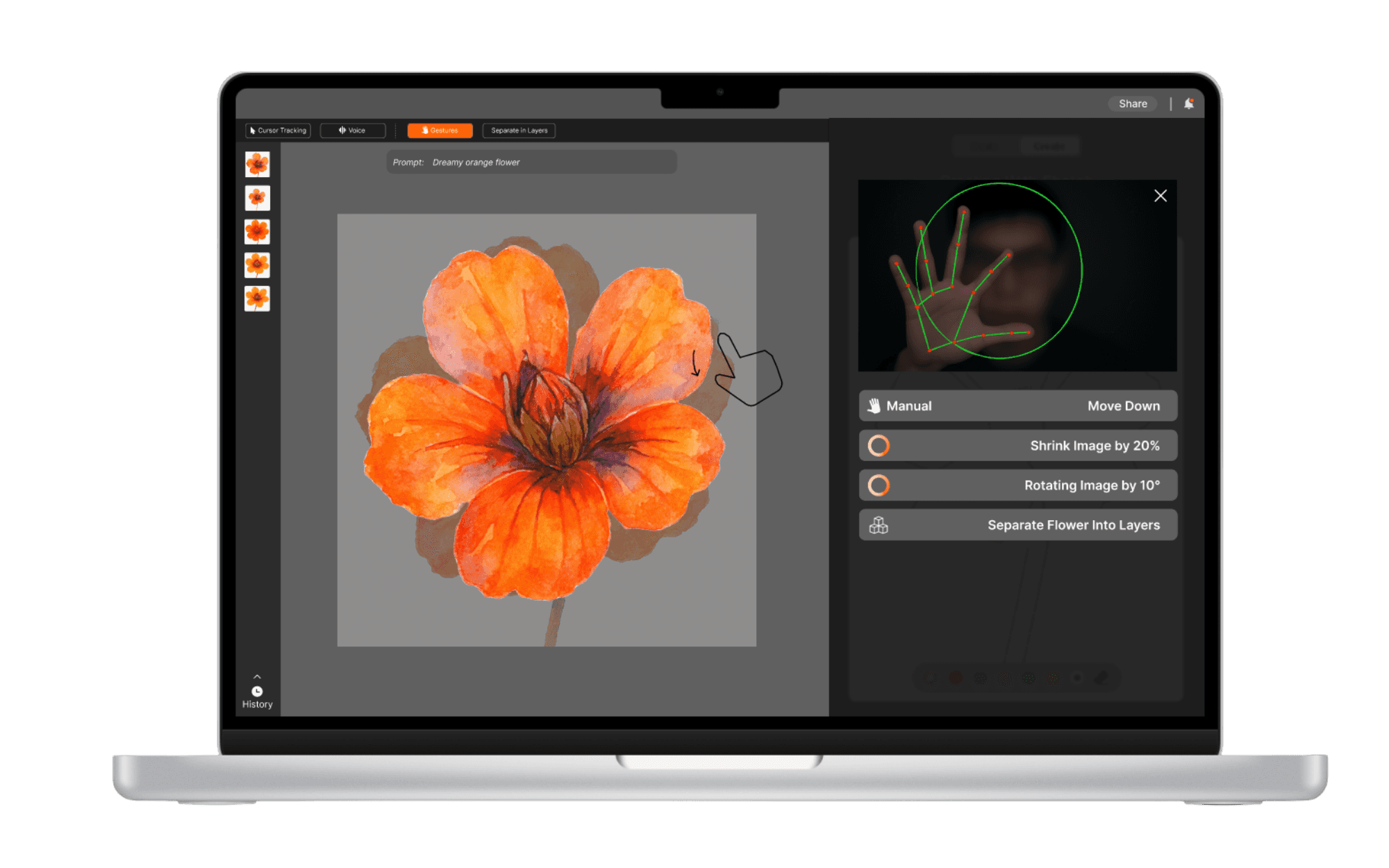
🤌 Gesture Activation
Gestures in Flux allow users to resize, reposition, and rotate elements directly on the canvas—enabling quick, intuitive edits with simple hand movements.
Reflection + Next Steps
Designing Adobe Flux challenged me to rethink traditional creative tools and imagine workflows tailored for AI-native creators. Through rounds of testing and iteration, I learned the importance of balancing user control with intelligent automation—especially in unfamiliar, emerging spaces.
Looking ahead, I see opportunities to expand customization features, deepen Adobe ecosystem integration, and explore collaborative creation tools that let multiple users interact with AI in real time.
Check out more of my case studies!
Other Projects