GallerAi

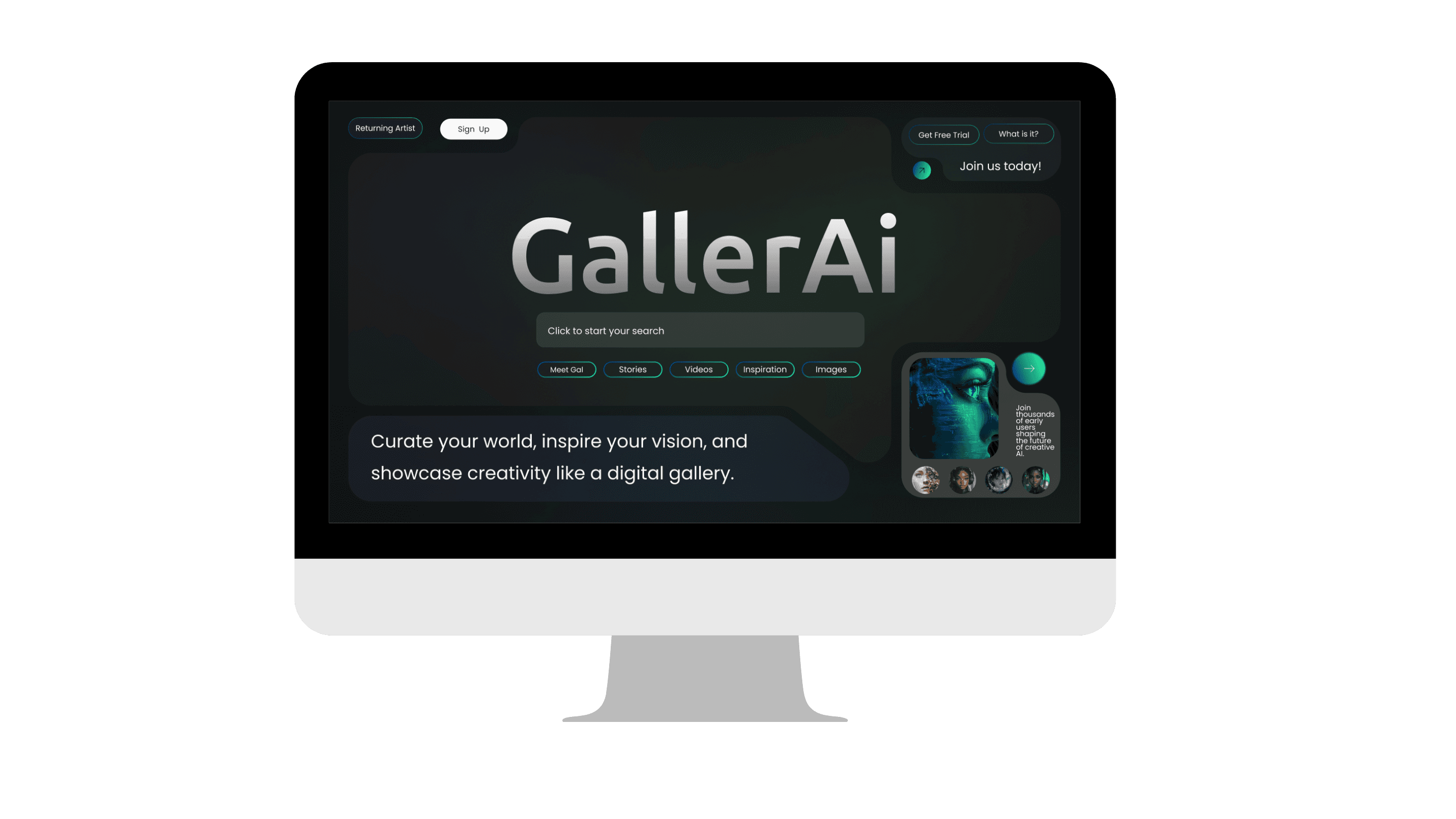
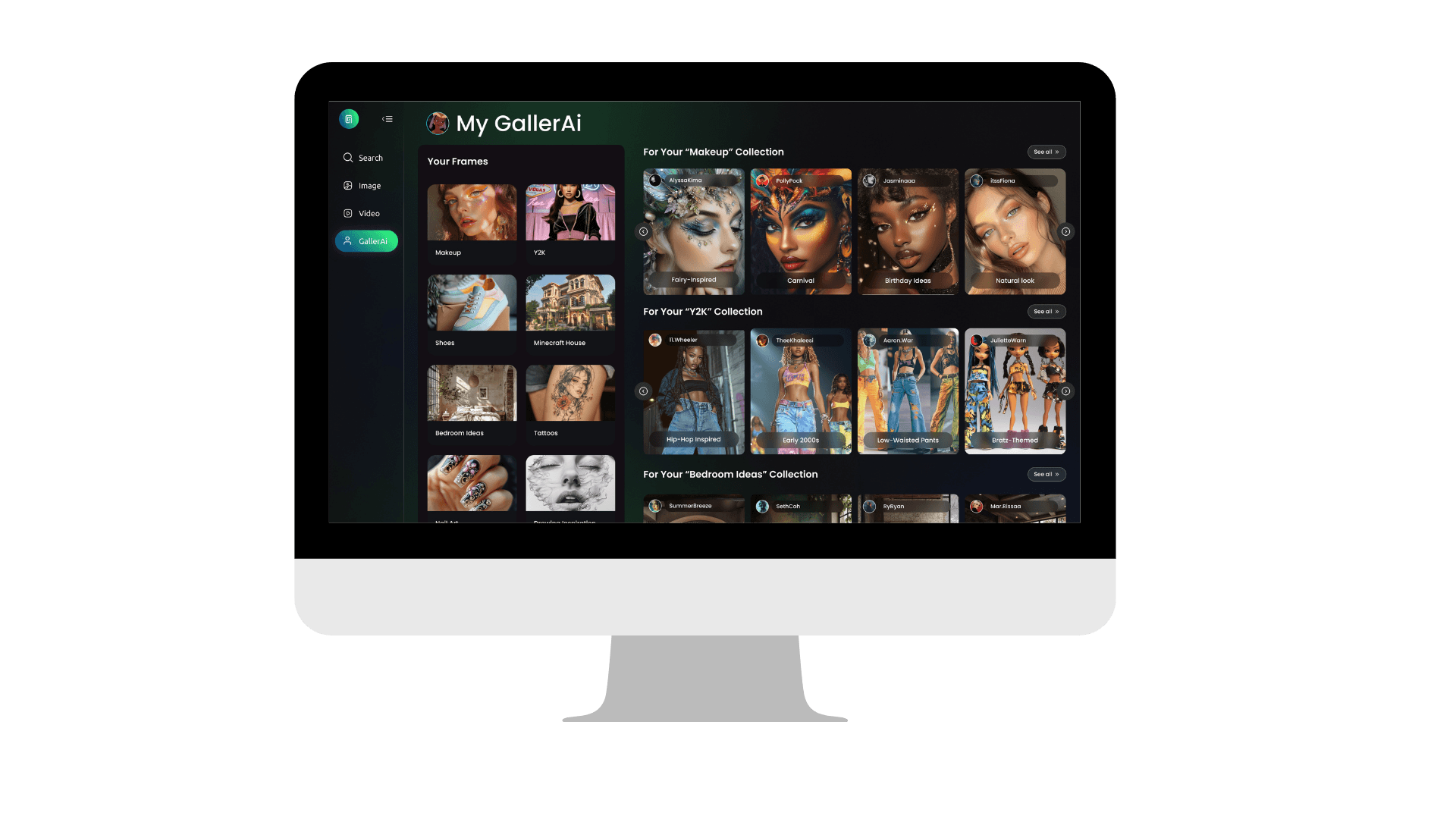
AI-powered platform that helps creatives generate, organize, and refine visual ideas
What exactly is "GallerAi"?
Starting off, if you're referring to the bot, feel free to call her "Gal"! 😊
If we're not quite on those terms yet, let's start at the basics.
GallerAi (a play on the word Gallery) is a concept that lets users generate images from prompts and organize them into curated boards—combining the creative freedom of AI with the structure of visual inspiration tools.
Background
GallerAi is a passion project born from my curiosity about the intersection of creativity and artificial intelligence.
Role
Visual Design
UI & UX Design
Tools
Figma
ChatGPT
Perplexity
NoteboomLM
Duration
Overall: 11+ weeks
Discovery & Research: 5+ weeks
Design & testing: 6+ weeks
The Challenge:
Imagine this: You have a vision—an aesthetic, a concept, a moodboard idea—but the execution is either time-consuming or lacks precision. Platforms like Pinterest let you collect inspiration, but they don’t create. AI image generators, on the other hand, create but don’t provide an intuitive way to organize and refine results.
The gap was clear:
✅ A platform where users could not only generate AI-powered images but also save, edit, and organize them into boards ("Frames"),
just like a personal digital gallery.
✅ A seamless experience that blends AI technology with human creativity
giving users more control over their generated art and tailor it to their own personal taste/design vision.
The Solution:
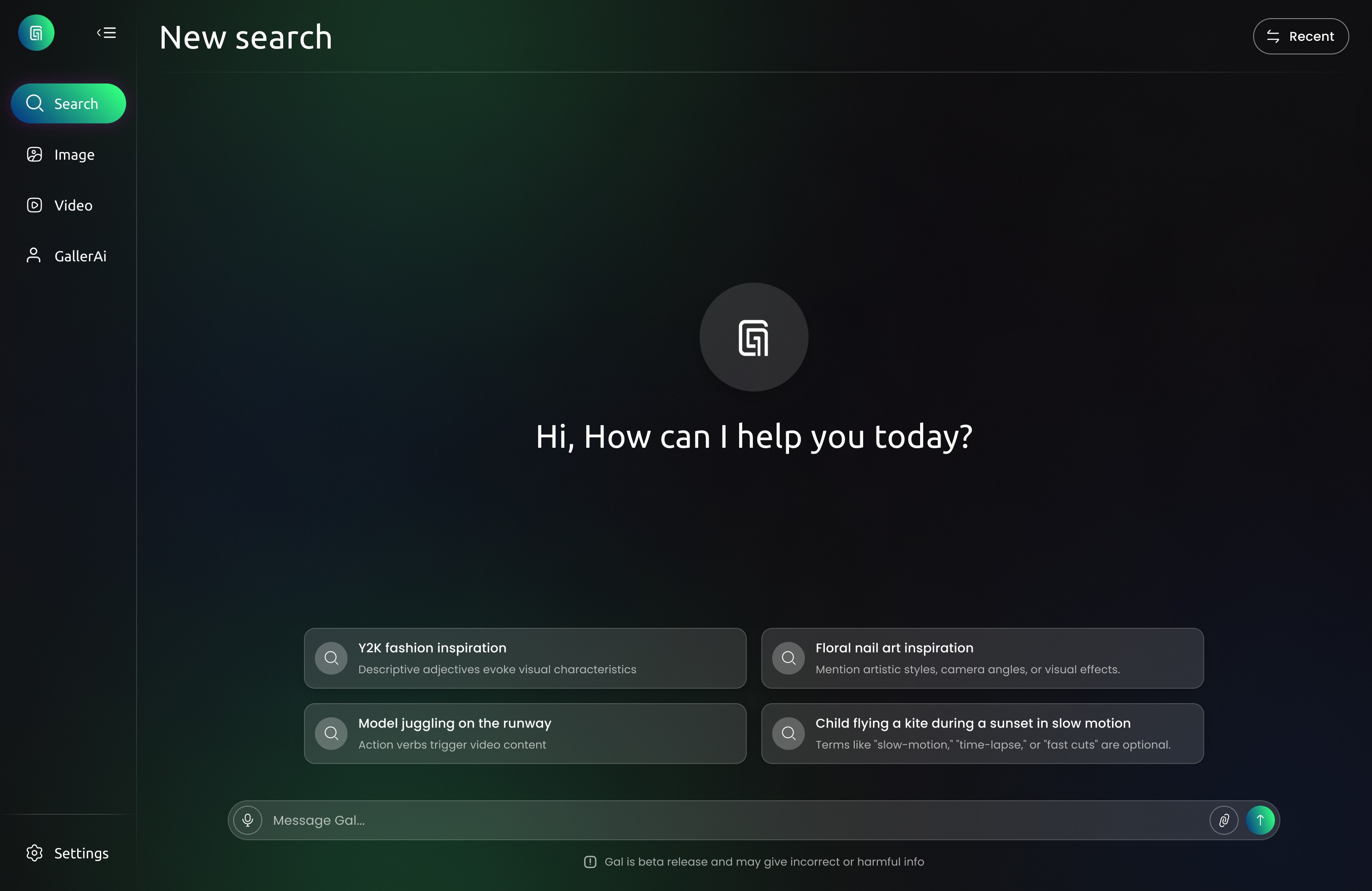
GallerAi was designed as a visionary prototype that fuses AI-powered image generation with intuitive organizational tools, all within a sleek, gallery-like interface.

My Process
Project Kickoff
Discovery
Ideation
Design
Reflection
PROJECT KICKOFF
The Starting Point 📌
Before diving into the design process for GallerAi, I recognized the importance of gaining a solid understanding of AI technology. Since AI integration was at the heart of the concept, I knew that simply designing an aesthetic interface wouldn’t be enough—I needed to ask the right questions and explore the realistic trade-offs and challenges of AI implementation.
To build a thoughtful and credible prototype, I first educated myself on:
✅ Image recognition vs. generative A
✅ Different ways to leverage AI in an app
✅ The trade-offs of using AI
PROJECT KICKOFF
Key Questions I Posed Early On
💡 1. What Type of AI Should Power GallerAi?
Since GallerAi revolves around image generation, I considered different types of AI models:
Text-to-image generators (e.g., DALL·E, Midjourney) – Allowing users to generate images from creative prompts.
Style-transfer AI – Applying specific visual aesthetics or artistic styles to user-uploaded images.
Recommendation algorithms – Using AI to suggest similar or complementary images based on a user’s gallery.
⚠️ 2. Do I Understand the Trade-offs of Using AI?
While AI introduces limitless creative possibilities, I acknowledged its limitations and potential pitfalls.
Con: AI-generated images can be unreliable – Results may sometimes lack coherence, contain visual anomalies, or misinterpret prompts.
Con: Ethical and proprietary concerns – Since AI often generates content based on existing datasets, it raises questions of originality and ownership.
Impact:
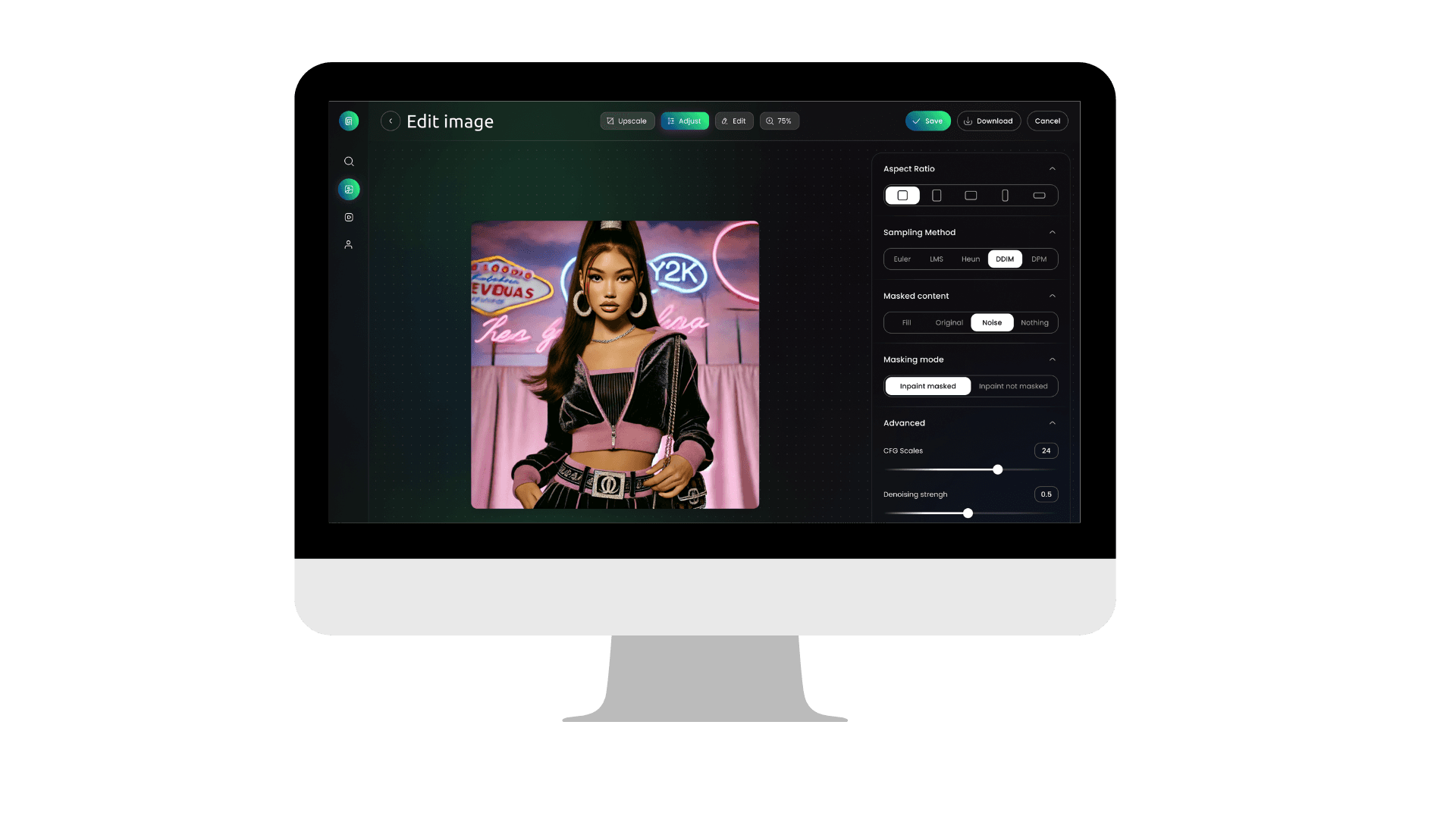
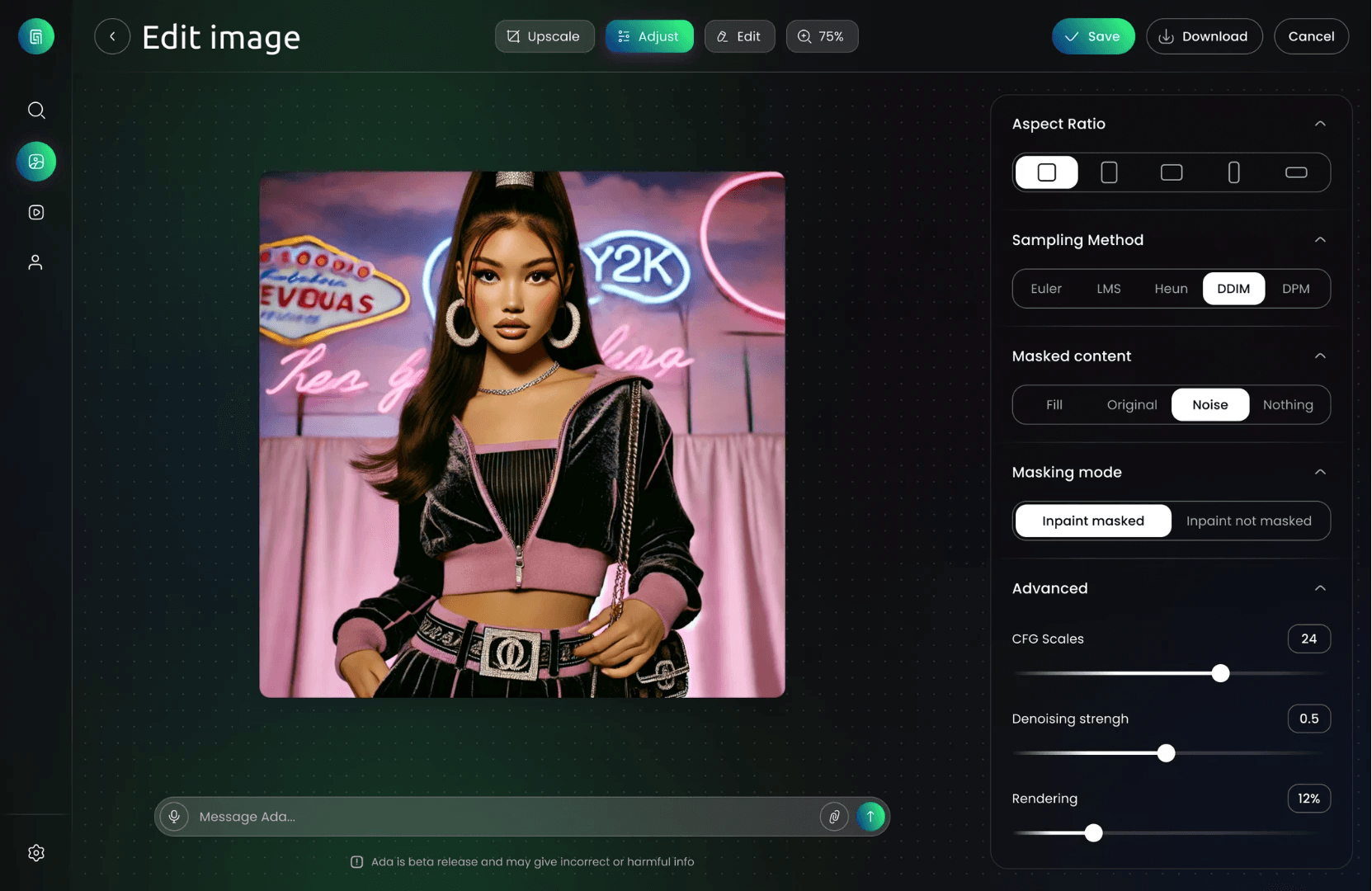
I imagined reliable customization controls (like inpainting and denoising) to help users refine unpredictable results, giving them more creative control.
⚖️ 3. How Do I Navigate Legal and Proprietary Concerns?
While GallerAi remains a conceptual prototype, I still considered the legal implications of real-world AI integration:
Image ownership – Would users own the AI-generated images?
Attribution and credit – Would AI creations need disclaimers or indicate whether they were AI-assisted?
Fair use and dataset ethics – Ensuring transparency around the datasets used for AI training.
Impact:
I considered terms of use and disclaimers within the conceptual design, which could explain AI-generated content policies and image rights.
👩🏾💻 4. How Will Users Interact with AI in GallerAi?
To create an intuitive experience, I needed to map out how users would engage with AI tools within the app:
Prompt-based image generation – Users input descriptive text prompts to create images.
Customizable AI controls – Sliders for refining aspects like image quality, denoising strength, or masking unwanted areas.
Frames for organization – Once generated, users could save and categorize images into thematic boards, making the AI-powered content feel curated and personal.
In the prototype, I visually reflected these interactions through:
🎯 Frames (boards)
as a core feature, enabling organization.

🎯 Customization panels
allowing for fine-tuning/editing.
🎯 A prompt input field
on the main interface for seamless generation.

DISCOVERY
What’s Already Out There (and What’s Missing)
To understand the current landscape of AI image generation and visual inspiration tools, I conducted extensive secondary research using AI assistants, search platforms, and note-synthesizing tools. To build a product that blends AI technology with intuitive visual discovery, I knew I had to immerse myself in the rapidly evolving world of generative AI and user behavior around image curation.
My research was twofold: understanding the tech landscape and exploring user needs and behaviors.
ChatGPT
I explored how users describe their frustrations with tools like Midjourney and DALL·E. Common themes included prompt fatigue, lack of visual control, and steep learning curves.
Perplexity
Helped me stay updated on emerging trends in generative AI. I discovered user conversations around style consistency, preference-based generation, and the desire for more human-like creative collaboration.
NotebookLM
Allowed me to collect articles, UX heuristics, and product documentation in one place, and generate summaries. This helped me identify repeated usability issues across AI art platforms and brainstorm early solutions.
DISCOVERY
AI Design Trends I Identified
Through market research and tool analysis, I uncovered several key trends shaping AI-powered creative platforms:
Prompt Engineering Burnout
Users want creative results, but writing effective prompts feels like trial and error. The experience is often too technical, creating a barrier for casual creatives.
Lack of Visual Control
Many users feel disconnected from the creative process. Once a prompt is submitted, there’s limited ability to refine results in a visual or intuitive way.
Curation is Missing
AI tools generate powerful imagery, but rarely help users save, organize, or curate their outputs meaningfully.
Inspiration Isn’t Seamless
Platforms like Pinterest thrive because of discovery. Current AI tools lack that continuous scroll of inspo that sparks ideas. The experience often starts with a blank box—cold and directionless.
DISCOVERY
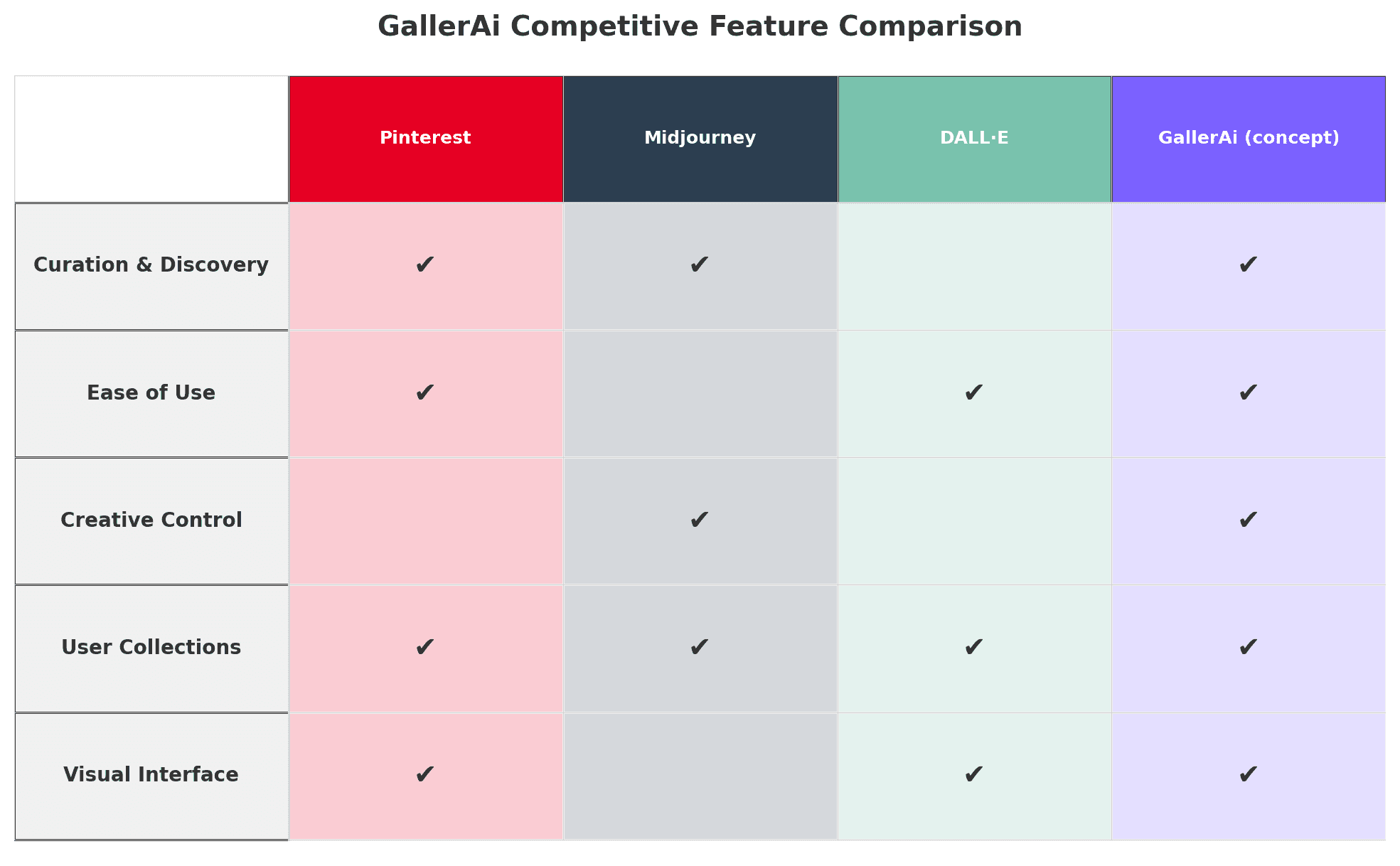
Breaking Down the Visual AI Space
Before diving into design, I needed a clear understanding of what users were already experiencing—and what was missing—in the current AI image generation space. Conducting a competitor analysis helped me uncover not just feature gaps, but also emotional and functional disconnects in the user journey.
DISCOVERY
Conversations with Creators 🗣️
To dive deeper into the motivations, behaviors, and frustrations of potential GallerAi users, I conducted 1:1 interviews with creatives across various disciplines. These conversations helped validate patterns I identified during secondary research and revealed new opportunities to improve the AI image generation experience.
⚠️ Top 6 User Pain Points
Writing detailed prompts feels repetitive and mentally draining. Users often struggle to get the image in their head to match what AI generates.
Prompt Fatigue 🧠
Once an image is generated, users have little to no power to visually refine it without restarting the prompt process.
Lack of Visual Control 🎛️
AI images, moodboards, and references are saved across multiple platforms (e.g. Pinterest, Google Drive, camera roll), making it hard to track.
Scattered Organization 🗂️
AI platforms often drop users into a blank prompt box with no visual cues, trends, or inspirational paths to follow—making the experience feel cold or overwhelming.
Inspiration Doesn't Feel Guided 🔍
There's a disjointed experience between generating, iterating, and saving. Users want a smoother, more playful space to experiment and evolve ideas over time.
No Creative Flow 🔄
Tools like Midjourney rely on Discord or text-heavy UIs, which are not beginner-friendly and can feel unapproachable for non-technical creatives.
Intimidating Interfaces 🙅♀️
And So.. What Exactly Did I Learn from This?
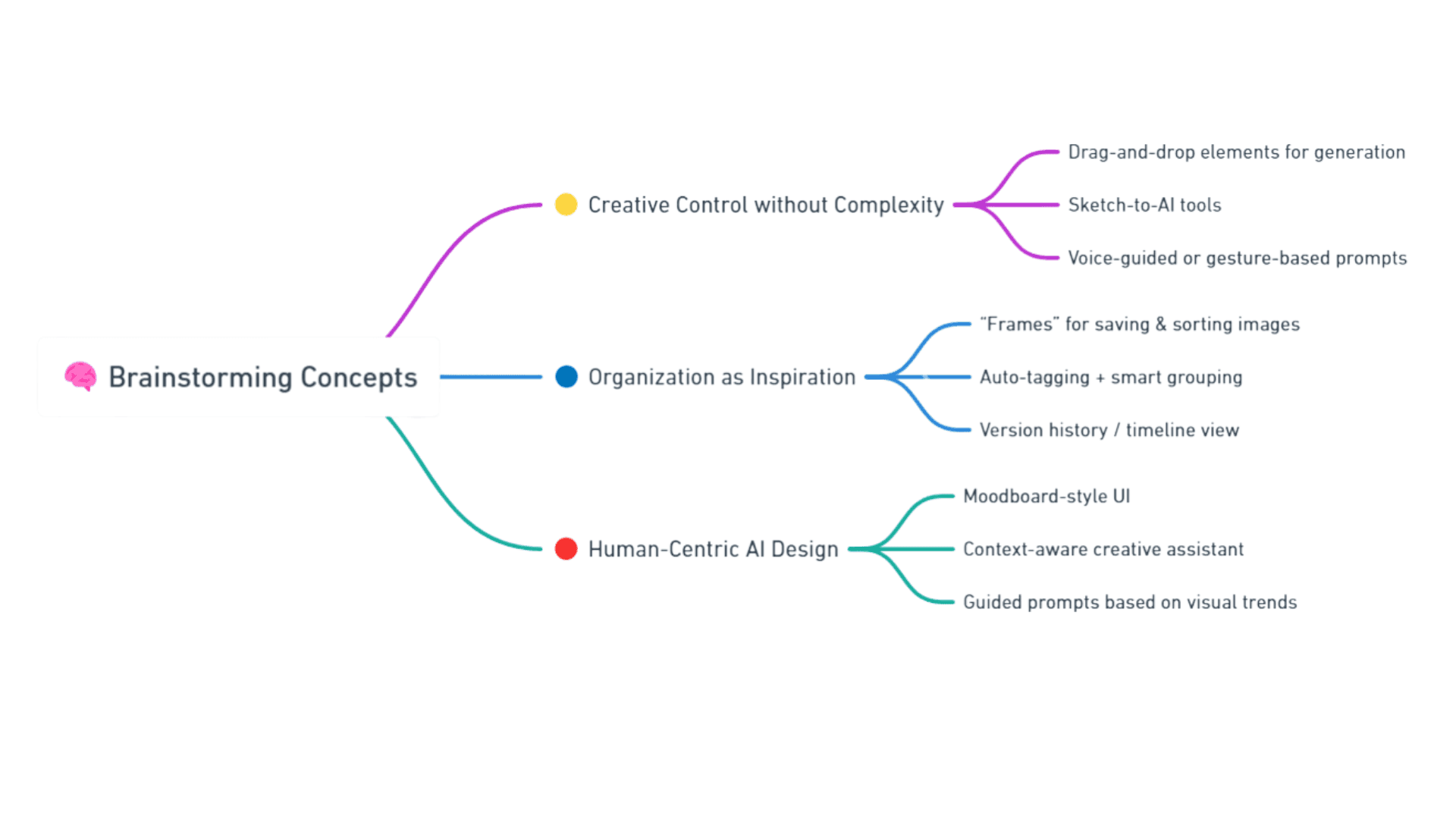
Users Crave Creative Control Without Complexity
Users want to direct AI visually, not just linguistically. They’re looking for a more intuitive and interactive way to guide image generation.
AI Tools Lack Human-Centric Design
Most AI art platforms lack warmth and visual discovery. There’s no creative flow—just input/output. Users want a tool that feels more like a collaborative canvas than a command terminal.
Organization Is Just As Important As Inspiration
Users want built-in ways to save, group, and revisit their creations—essentially treating AI outputs like assets, not one-offs.
IDEATION
Shaping Human-Centered AI✍️
With my research complete for the time being, I transitioned into the ideation phase to explore how GallerAi could address the core pain points and unmet needs I uncovered. Guided by my 3 key insights, I focused on building a tool that is:
Visually intuitive
User-friendly for all creativity levels
Designed for inspiration, creation, and organization
I started by brainstorming possible solutions to each of my insights:
IDEATION
Asking Better Questions
To keep my brainstorming user-centered, I framed ideas with How Might We questions:
How Might We...
make organizing AI images feel as effortless as pinning content?
How Might We...
help users guide AI visually instead of just through text?
How Might We...
inspire users mentally even before they type a single prompt?
Armed with insights, a clear user flow, and a deep understanding of my users' needs, I began translating strategy into screens. My goal throughout the design process was to create an experience that felt:
Intuitive for beginners
Empowering for creatives
And organized for real-world workflows
DESIGN
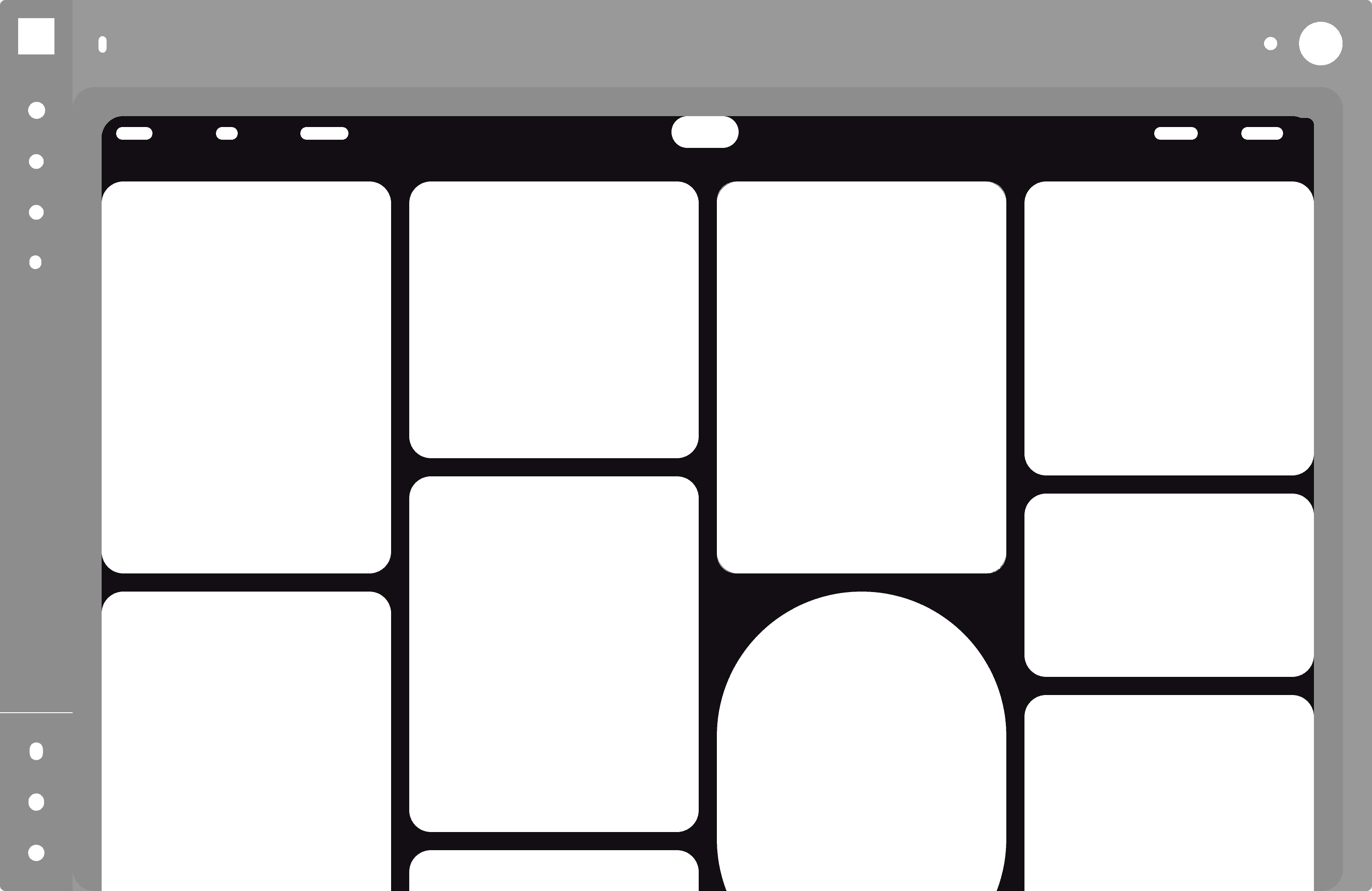
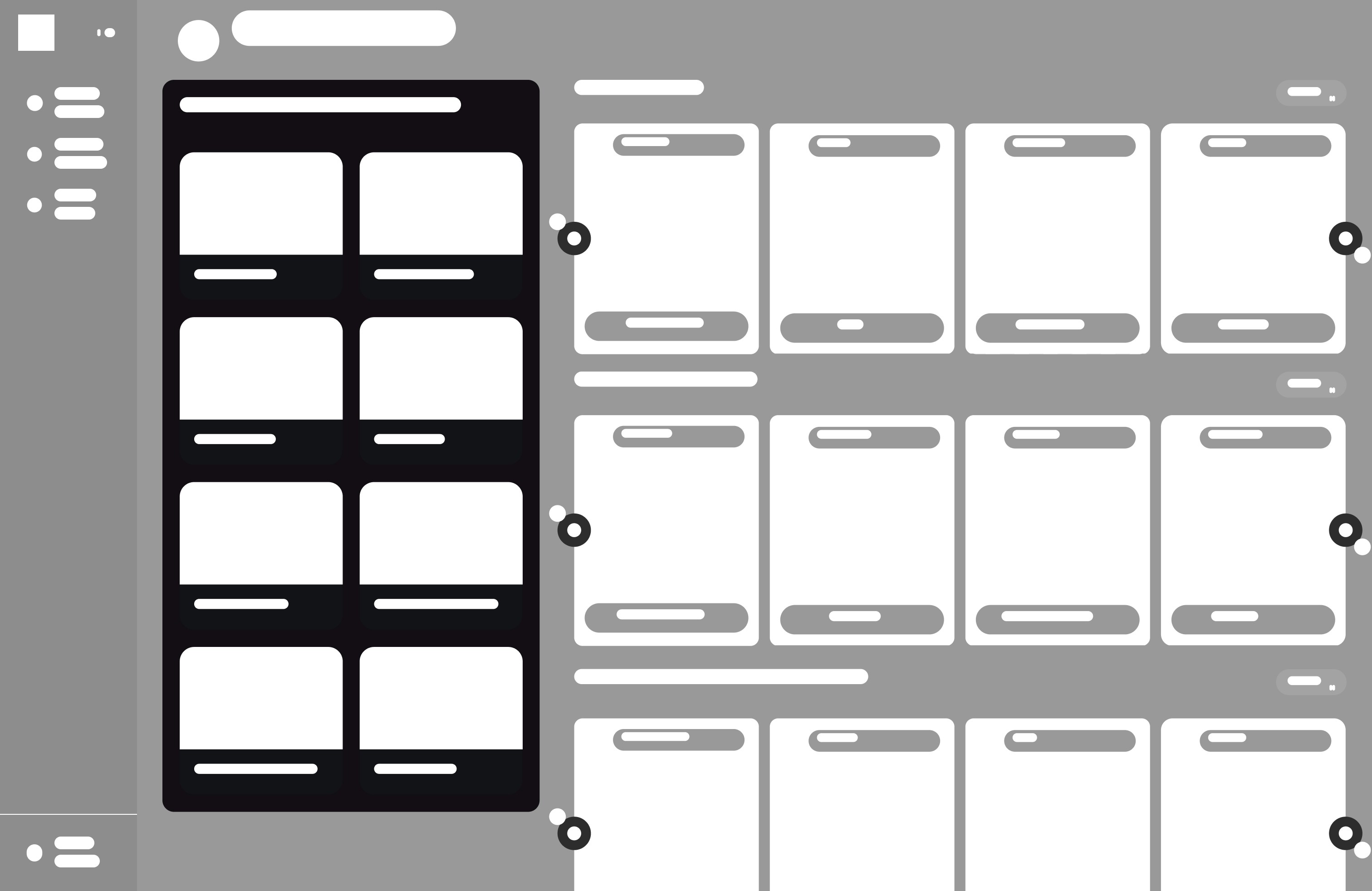
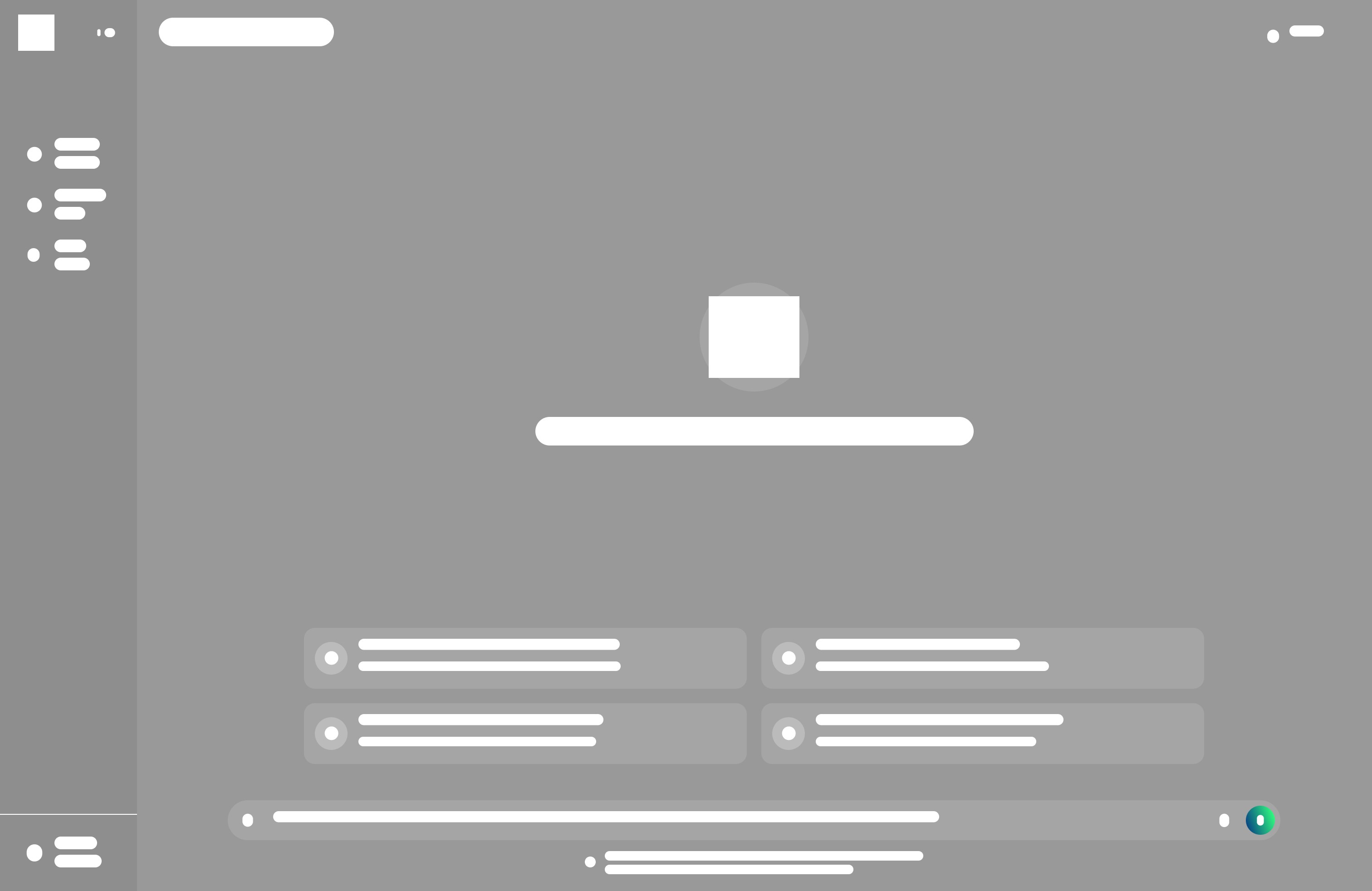
Low-Fidelity Wireframes
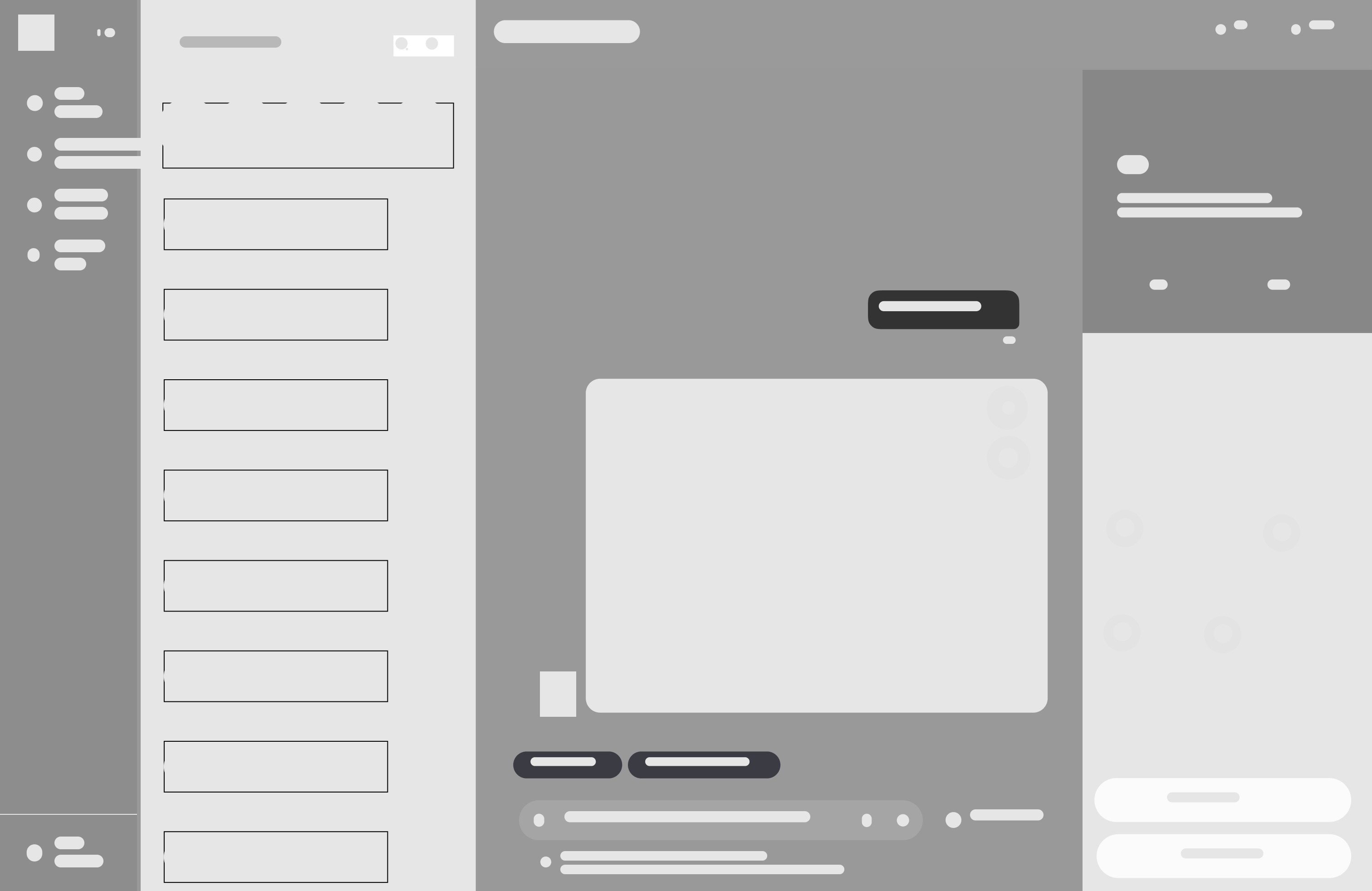
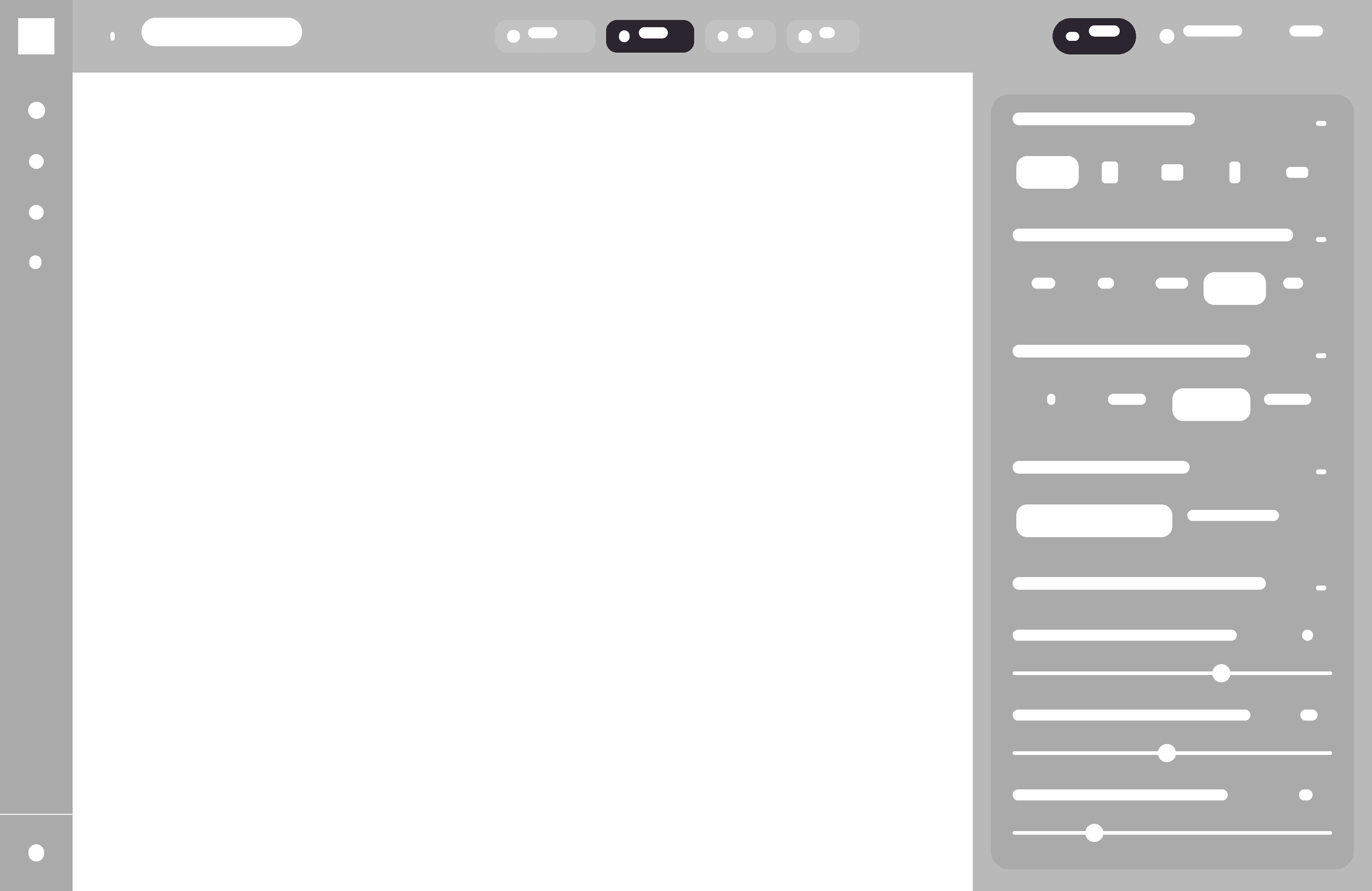
I started by sketching out low-fidelity wireframes to map out the structure of key screens. This allowed me to quickly test layouts, user priorities, and content hierarchy.
DESIGN
Iterating with Feedback 🧪
After building early prototypes, I gathered feedback from creatives, designers, and casual users who regularly use Pinterest or AI art tools. Their input was crucial in refining Gallerai’s UX and interaction model.
Making Frames more visually intuitive
Started including thumbnail preview based off of user's recent saved media.
Adjusting Language to Keep a More Coherent Brand Identity
Using more more user-friendly terms like “Gal” or “Frames”.
Clarifying how users could toggle between refine, regenerate, or organize
Provided more user feedback and pop-ups to ensure users can be more informed when a task is completed.
Read article
DESIGN
Design System
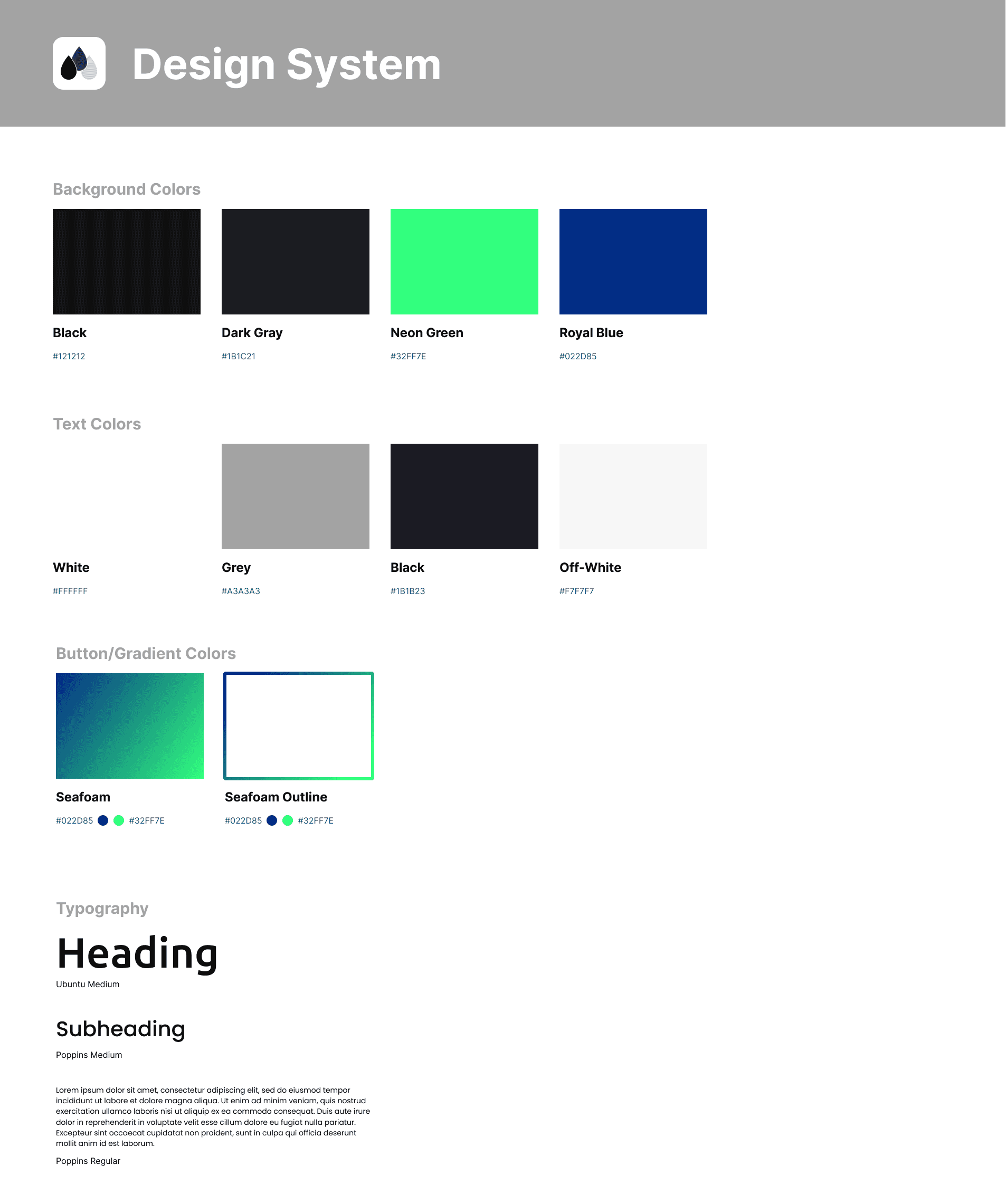
🟢🟦 Color Palette – Green/Blue Gradient Accents
User interviews revealed that many AI tools feel “cold” and intimidating. To counter this, I chose a fresh green/blue gradient that feels calm yet modern.
Green = progress, confidence
Blue = trust, clarity
Together, they create a futuristic tone while highlighting key actions (“Save,” “Edit,” “Adjust”) in a dark UI without overwhelming content.
🔠 Typography — Ubuntu & Poppins
To reduce prompt fatigue and confusion, I prioritized clarity and approachability.
Ubuntu headings add personality and creativity
Poppins body text ensures clean legibility at all sizes
This pairing makes the interface structured but approachable, modern but not sterile.
Introducing GallerAi!
🔍 Meeting Gal
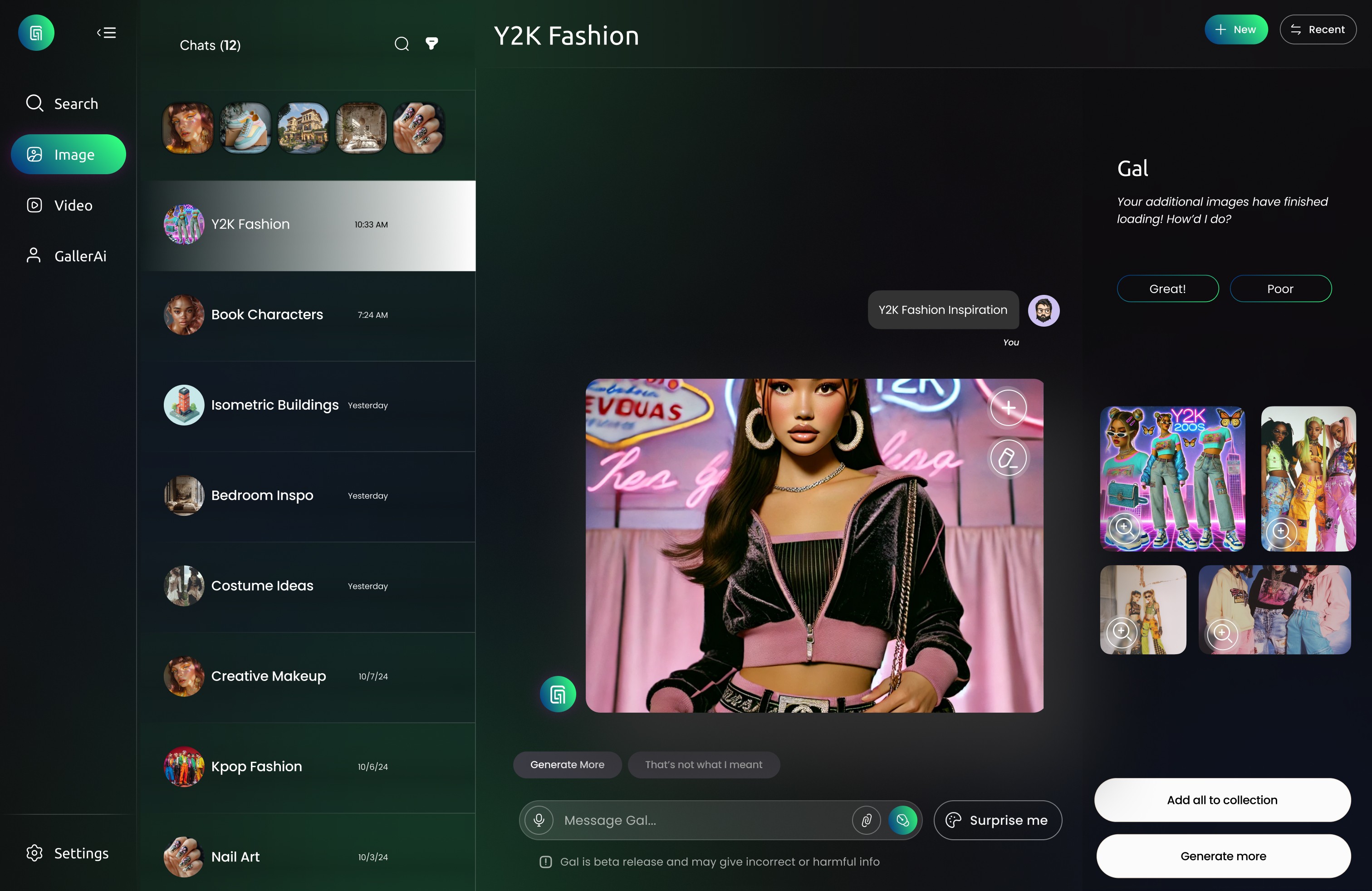
Lets users generate both images and short videos from prompts, with simple controls that adjust mood, style, and detail. I
🎨 Multiple Choice Generation
Provides users with multiple AI-generated options at once, giving them the freedom to choose, save them all, refine a specific favorite, or refresh the entire set for new results.
✏️ Customizable Controls
Users adjust parameters (style, mood, complexity, etc.) instead of relying only on text prompts.
🖼️ Frames (Boards)
A system similar to Pinterest boards.
Lets users save, organize, and curate generated images into themed collections. Also gives "smart suggestions" from other user's generated images.
Reflection + Next Steps
Working on GallerAi was more than just a design challenge—it was an opportunity to explore how emerging technology can be made more human. As someone who’s passionate about creativity and accessibility, I wanted to create a platform that didn’t just use AI, but empowered users to co-create with it.
This project pushed me to:
Think critically about user needs in unfamiliar territory (AI tools can be exciting, but also intimidating)
Balance innovation with usability, making sure every feature had purpose and clarity
Embrace feedback and iterate quickly, especially when designing for abstract interactions like sketch-to-AI or gesture-based controls
🌐 Test with Broader Audiences
As GallerAi evolves, I’ll test with users beyond designers—like content creators, marketers, and educators—to see how the platform adapts across creative workflows.
🤝 Build a Community System
Creativity thrives when it’s shared, so I plan to implement features that allow users to collaborate on Frames, explore others’ creations, and remix ideas across the platform.
🧩 Explore Development Feasibility
Collaborate with developers to explore how features like: Sketch-to-image refinement, smart image organization, style filters and visual input prompts can be technically implemented using current generative AI models.
Check out more of my case studies!
Other Projects